UX/UI Design - Music App

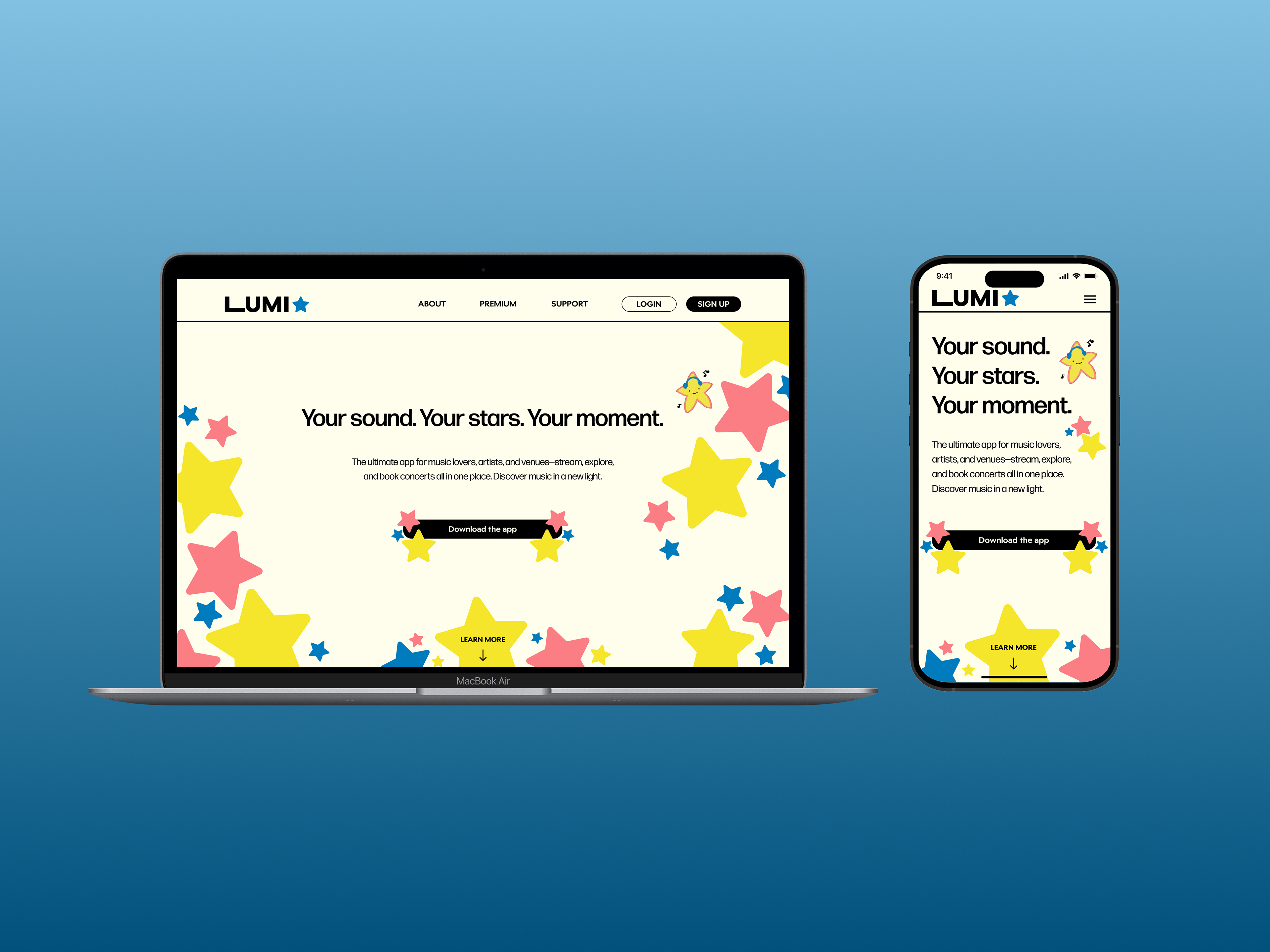
The ultimate app for music lovers, artists, and venues—stream, explore, and book concerts all in one place. Discover music in a new light.
hello :)
Overview
LUMI is the ultimate app for music lovers, concert-goers, artists, and venues—a one-stop platform for streaming, exploring, and booking live events. Designed for users frustrated with cluttered, complicated apps, LUMI simplifies your music journey while offering vibrant personalization to match your unique style.
Targeting casual listeners and live music enthusiasts, LUMI combines the best features of platforms like Spotify, SoundCloud, and Apple Music with the added convenience of concert discovery and ticketing—all in one place. Say goodbye to switching between apps and hello to a seamless, intuitive, and fun experience tailored just for you.
With LUMI, stay in the loop with live events, discover emerging artists, and organize your music with ease. Built for those who crave simplicity, efficiency, and excitement, LUMI is your gateway to a new era of music streaming and discovery.
Collaborator: Trisha Marie Yumul
Fully Interactive Prototype
The Figma File
Phase 1: Research
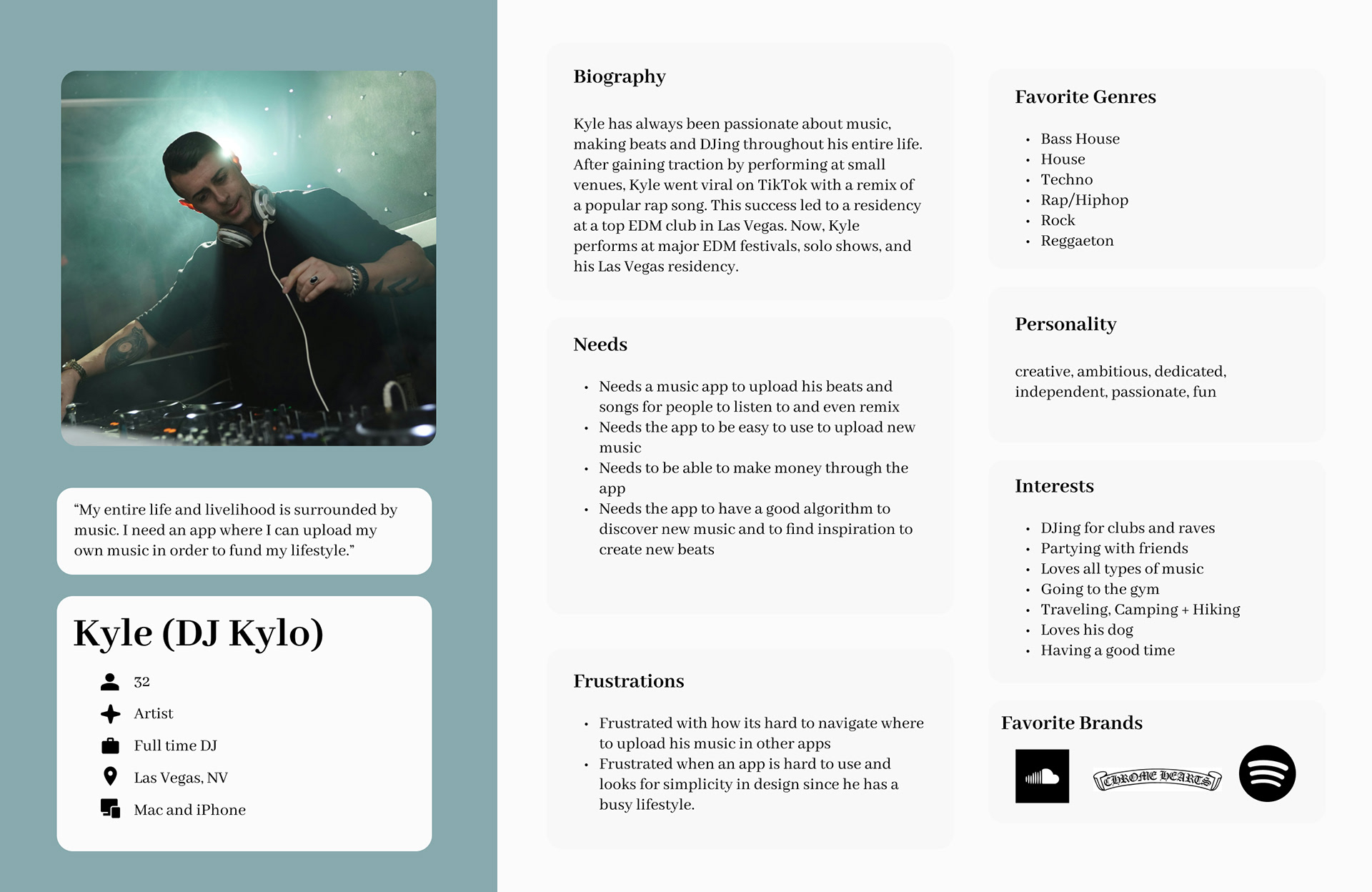
To kick off our research, my partner and I conducted interviews with six users aged 20-50 to gain insights into their favorite music apps. Through these interviews, we uncovered key features users appreciated and common frustrations they experienced across different platforms. This process helped us identify user needs and pain points, providing a solid foundation for our design decisions. Using this insight from our interviews we created four user personas for our app to aid in its user-centered development.
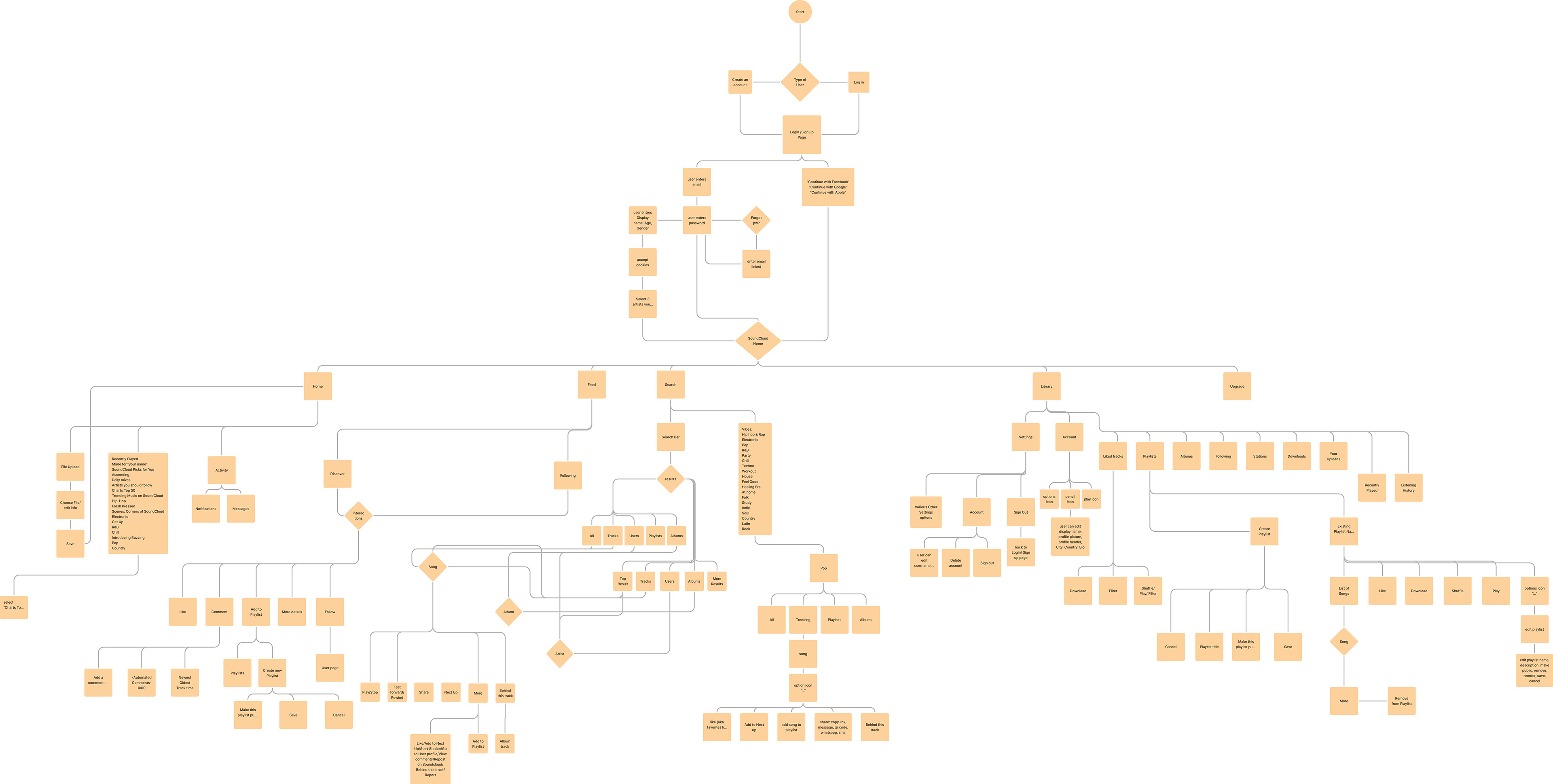
We chose to focus on SoundCloud as our primary competitor due to its unique features, creative user interface, and widespread popularity among music enthusiasts. To better understand its functionality and user experience, we conducted an in-depth analysis of SoundCloud, mapping out a detailed user flow. This comprehensive breakdown allowed us to identify opportunities for innovation while ensuring our app addressed common usability challenges found in existing platforms.

________________________________
User Interview 1:
Name: Grace Esparza (she/her)
Age: 20 years old
Occupation: Student, Yogurt-land
________________________________
What is your favorite music application and what device do you use?
Free version of Spotify on Android, used SoundCloud in middle school
How often and what time of day do you use the app?
Spotify- A LOT, walking to class, studying, cleaning her room, “to set the vibes”, no set time, any given time of the day
What’s most appealing about the app?
Spotify- Ability to make a lot of playlists, song recommendations, personal mixes, “Daily mixes”, creates funny titles
SoundCloud- wider variety of songs, easier for smaller creators to create and upload music, easier to find artists and share music, didn’t remember it having a lot of ads, good
What’s the hardest part about using this app?
Spotify- Hates the push for Premium, doesn’t like that when you shuffle a song it will repeat songs, “the algorithm is really bad”, “awful algorithm” repeats songs a lot, can’t choose what song you want or see the lyrics on free version, ads are annoying, she has a “SpotMute” to make the ads silent
Was there anything surprising or unexpected about the app?
Surprised that they haven’t fixed so many small bugs despite constantly pushing out new features and versions
What feature of the app do you use the most?
Her own personal playlists, the Daily Mixes
________________________________
User Interview 2:
Name: Andy Martinez (he/him)
Age: 50 years old
Occupation: Firefighter
________________________________
What is your favorite music application and what device do you use?
Apple music on iPhone on family Premium plan
How often and what time of day do you use the app?
4-5 times a day, when working out, in the evening cooking, in the car
What’s most appealing about the app?
Easy lyric search, lasting playlist creating, radio stations, easy to find songs he hears
What’s the hardest part about using this app?
nothing, works the way he wants
Was there anything surprising or unexpected about the app?
Surprised the lyrics scroll live/in-time, very convenient and impressive technology, he likes it
What can be done to improve the app?
Doesn’t like the repeated songs, “sounds like the same 15 songs are always on” wish it would recommend more variety, also wishes there would be ALL the songs for an artist’s albums, sometimes doesn’t show all of them and hard to view their full discography
What feature of the app do you use the most?
The custom playlists he creates himself
What is your favorite music application and what device do you use?
Apple music on iPhone on family Premium plan
How often and what time of day do you use the app?
4-5 times a day, when working out, in the evening cooking, in the car
What’s most appealing about the app?
Easy lyric search, lasting playlist creating, radio stations, easy to find songs he hears
What’s the hardest part about using this app?
nothing, works the way he wants
Was there anything surprising or unexpected about the app?
Surprised the lyrics scroll live/in-time, very convenient and impressive technology, he likes it
What can be done to improve the app?
Doesn’t like the repeated songs, “sounds like the same 15 songs are always on” wish it would recommend more variety, also wishes there would be ALL the songs for an artist’s albums, sometimes doesn’t show all of them and hard to view their full discography
What feature of the app do you use the most?
The custom playlists he creates himself
________________________________
User Interview 3:
Name: Nikki Sanchez (they/them)
Age: 22 years old
Occupation: Student
________________________________
What is your favorite music application and what device do you use?
Premium Spotify
How often and what time of day do you use the app?
I use it prob 4-5times a day, morning, in increments throughout the day and at night
What’s most appealing about the app?
it has all the music and podcasts i want to listen to and independent artists can upload their music
What’s the hardest part about using this app?
not everyone uses it so i can only share playlists to other users
Was there anything surprising or unexpected about the app?
that anyone can upload their music
What can be done to improve the app?
make sound quality better
What feature of the app do you use the most?
discover playlists
What is your favorite music application and what device do you use?
Premium Spotify
How often and what time of day do you use the app?
I use it prob 4-5times a day, morning, in increments throughout the day and at night
What’s most appealing about the app?
it has all the music and podcasts i want to listen to and independent artists can upload their music
What’s the hardest part about using this app?
not everyone uses it so i can only share playlists to other users
Was there anything surprising or unexpected about the app?
that anyone can upload their music
What can be done to improve the app?
make sound quality better
What feature of the app do you use the most?
discover playlists
________________________________
User Interview 4:
Name: Lyne Le (she/hers)
Age: 22 years old
Occupation: Youth leader
________________________________
What is your favorite music application and what device do you use?
Spotify
What is your favorite music application and what device do you use?
Spotify
How often and what time of day do you use the app?
Everyday starting from 9am
What’s most appealing about the app?
I like their features that they do for ex: smart shuffle, daylight, and the end of the year statistics
What’s the hardest part about using this app?
Algorithm is bad, it shuffles the same 4 songs
Was there anything surprising or unexpected about the app?
I just think the graphics are really nice and I like how they use GIFs
What can be done to improve the app?
nothing, better algorithim
What feature of the app do you use the most?
Smart shuffle, hashtags to explore genres
Everyday starting from 9am
What’s most appealing about the app?
I like their features that they do for ex: smart shuffle, daylight, and the end of the year statistics
What’s the hardest part about using this app?
Algorithm is bad, it shuffles the same 4 songs
Was there anything surprising or unexpected about the app?
I just think the graphics are really nice and I like how they use GIFs
What can be done to improve the app?
nothing, better algorithim
What feature of the app do you use the most?
Smart shuffle, hashtags to explore genres
________________________________
User Interview 5:
Name: Danilo Martinez (he/him)
Age: 21 years old
Occupation: Student
________________________________
What is your favorite music application and what device do you use?
Spotify on iPhone, uses his girlfriend’s family Premium plan
How often and what time of day do you use the app?
Every other day and any time of day; “8am-midnight”
What’s most appealing about the app?
Very simple and easy to make playlists and discover new music using the radio stations
What’s the hardest part about using this app?
Hard to filter through his library, hard to organize his playlists, says there is only grid or box view, the app does a random/alphabet/most recent sort, wish he could decide the order of all of his playlists beyond just the pin feature
Was there anything surprising or unexpected about the app?
Spotify wrapped, it’s always unique, surprising, and fun
What can be done to improve the app?
Not much, customization, wishes there was your own organization system, something to make your Spotify unique from others, “everyone’s Spotify looks the same beyond the music taste”
What feature of the app do you use the most?
The discover weekly playlists, DJ X feature where a “DJ” picks music for you
________________________________
User Interview 6:
Name: Romy Martinez (she/her)
Age: 48 years old
Occupation: Accountant
________________________________
What is your favorite music application and what device do you use?
Apple music on iPhone on family Premium plan, occasionally pandora
How often and what time of day do you use the app?
Once or twice a week, not super often, very busy with work
What’s most appealing about the app?
Easy, includes paid family plan, good international music selection
What’s the hardest part about using this app?
Annoyed that the audio resets when on calls or pauses when watching videos
Was there anything surprising or unexpected about the app?
Didn't know there were lyrics, karaoke mode where you can turn down the vocals
What can be done to improve the app?
Could be easier to find new songs, sometimes doesn’t know what to listen to, doesn’t like that it’s only sorted by basic genre
What feature of the app do you use the most?
Library, personal “top picks for you” playlist, Daily 100 to explore other country’s music, doesn’t ever use the radio or home page

Competitor Analysis: Soundcloud
We chose SoundCloud as our main competitor for its unique features, creative information display, and user-friendly interfaces. We analyzed its branding, user demographics, interfaces, and main features and how they were reviewed negatively or positively.
Application Type:
Hybrid Application
Hybrid Application
Main Objective:
SoundCloud revolutionized the music streaming industry by providing a platform for artists to share and promote their music independently. It allows artists to release music without requiring a record label or distributor. The platform fosters a community where users are both listeners and creators.
SoundCloud revolutionized the music streaming industry by providing a platform for artists to share and promote their music independently. It allows artists to release music without requiring a record label or distributor. The platform fosters a community where users are both listeners and creators.
Tone/Mission:
SoundCloud empowers independent artists by offering tools, services, and resources to help them build and grow their careers. With over 400 million tracks from 40+ million artists across 193 countries, SoundCloud is the world’s largest audio discovery platform.
SoundCloud empowers independent artists by offering tools, services, and resources to help them build and grow their careers. With over 400 million tracks from 40+ million artists across 193 countries, SoundCloud is the world’s largest audio discovery platform.
Main Features:
- Free and accessible uploads for creators.
- Curated "TikTok-style" Discover and Following feeds.
- Unique progress slider with creative visuals during song playback.
- Time-stamped and live comment feature for enhanced interactivity.
Positive Aspects:
- Diverse Catalog: Offers niche music from smaller creators.
- Cost-Free Platform: Accessible for both listeners and creators.
Negative Aspects:
- Account Security: Presence of fake profile bots and scams in comments.
- Algorithm Issues: Random song selections after a chosen track ends.
- Creator Support: Poor customer service for creators.
- Navigation Challenges: Difficulty accessing full albums from song details.
Target Demographic:
General audience aged 13-65+.
Core user base: Individuals aged 18-35, comprising 35% of its audience.
User Interface:
- Color Scheme: Black and white primary theme with pink/orange gradient accents for notifications and premium features.
- Design Consistency: Geometric, colorful graphic headers and tiles.
Visual Elements:
- Large images and graphic tiles.
- Creative progress slider with an orange progress bar and dynamic background visuals.
- Time-stamp animations and live comment displays.
- Rounded design elements for a modern, approachable look.
Competitor User Flow - Soundcloud
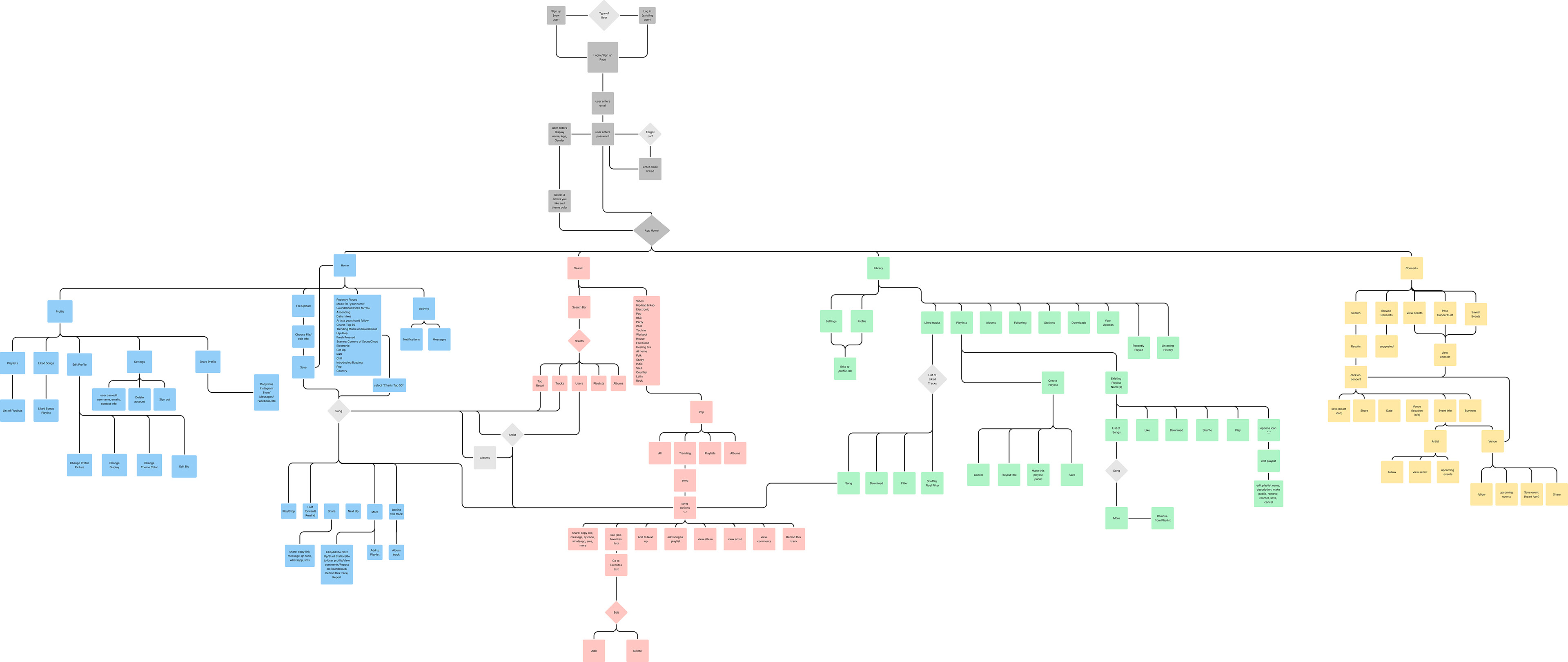
To gain deeper insights into SoundCloud's functionality and user experience, we created a comprehensive user flow for the app. This process involved mapping out each step a user takes to complete key tasks, such as signing in, searching for music, creating playlists, and interacting with content. By breaking down these interactions, we were able to identify strengths, potential pain points, and opportunities for innovation that informed the design of our own app.
User Personas
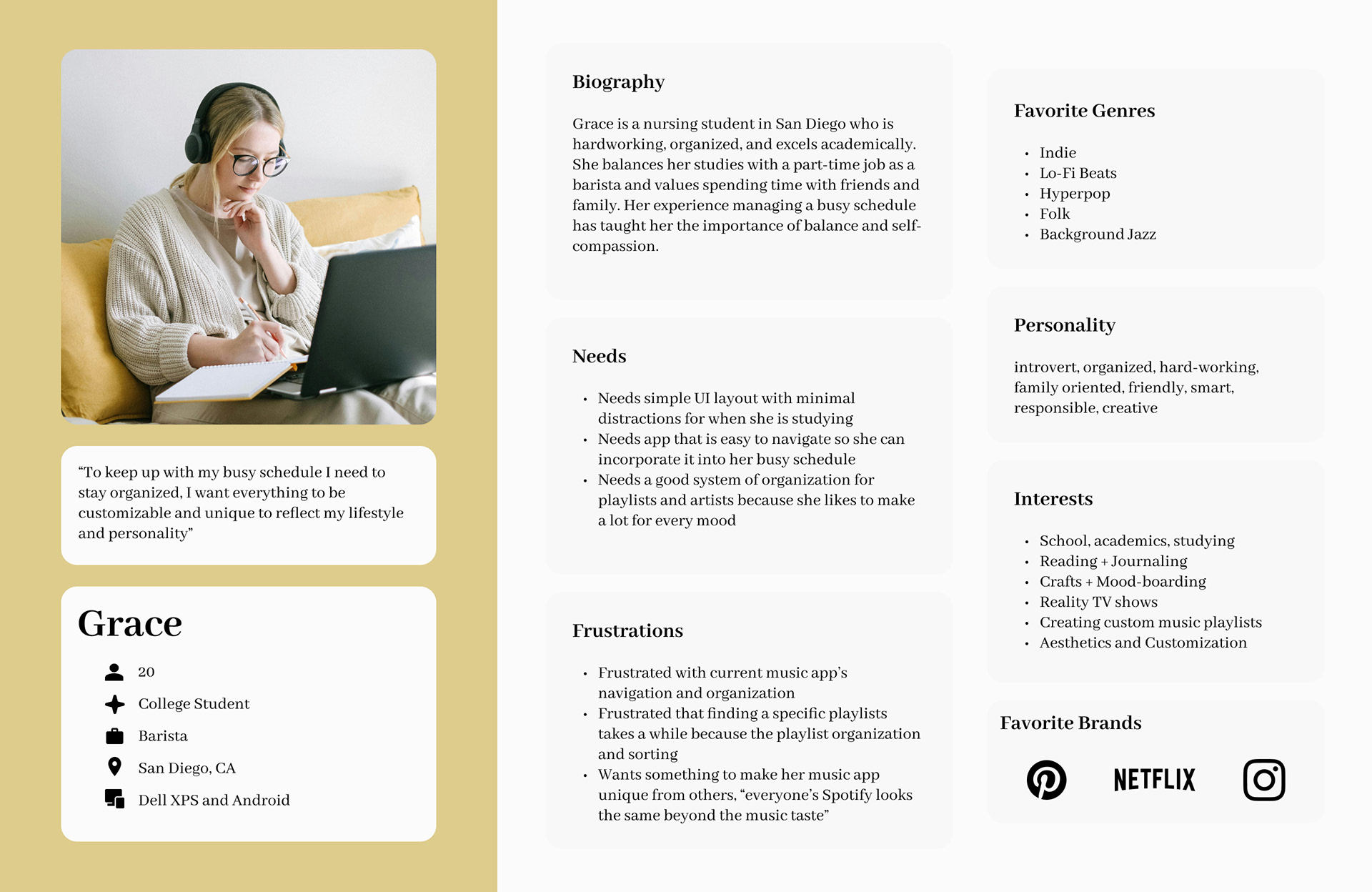
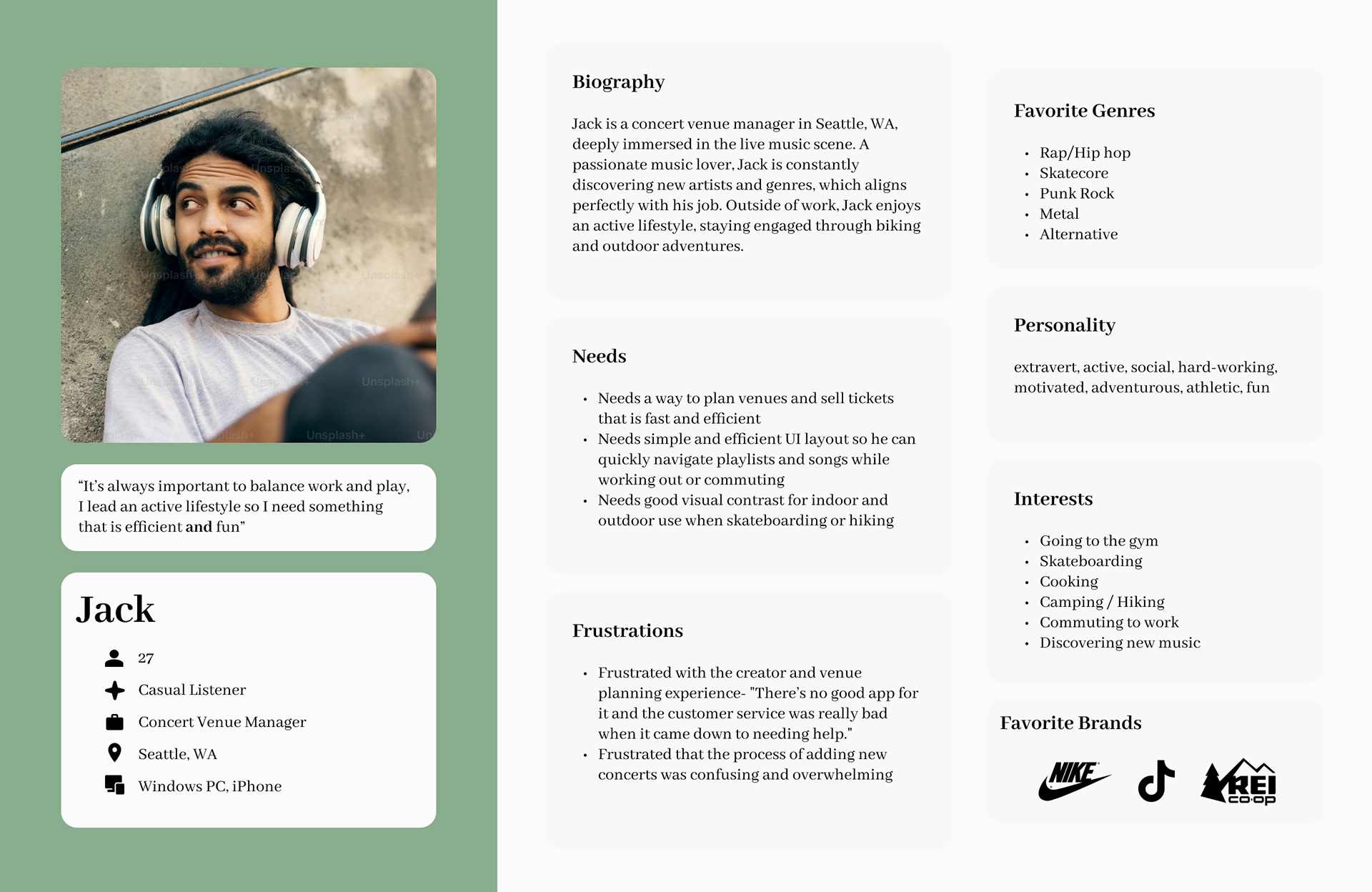
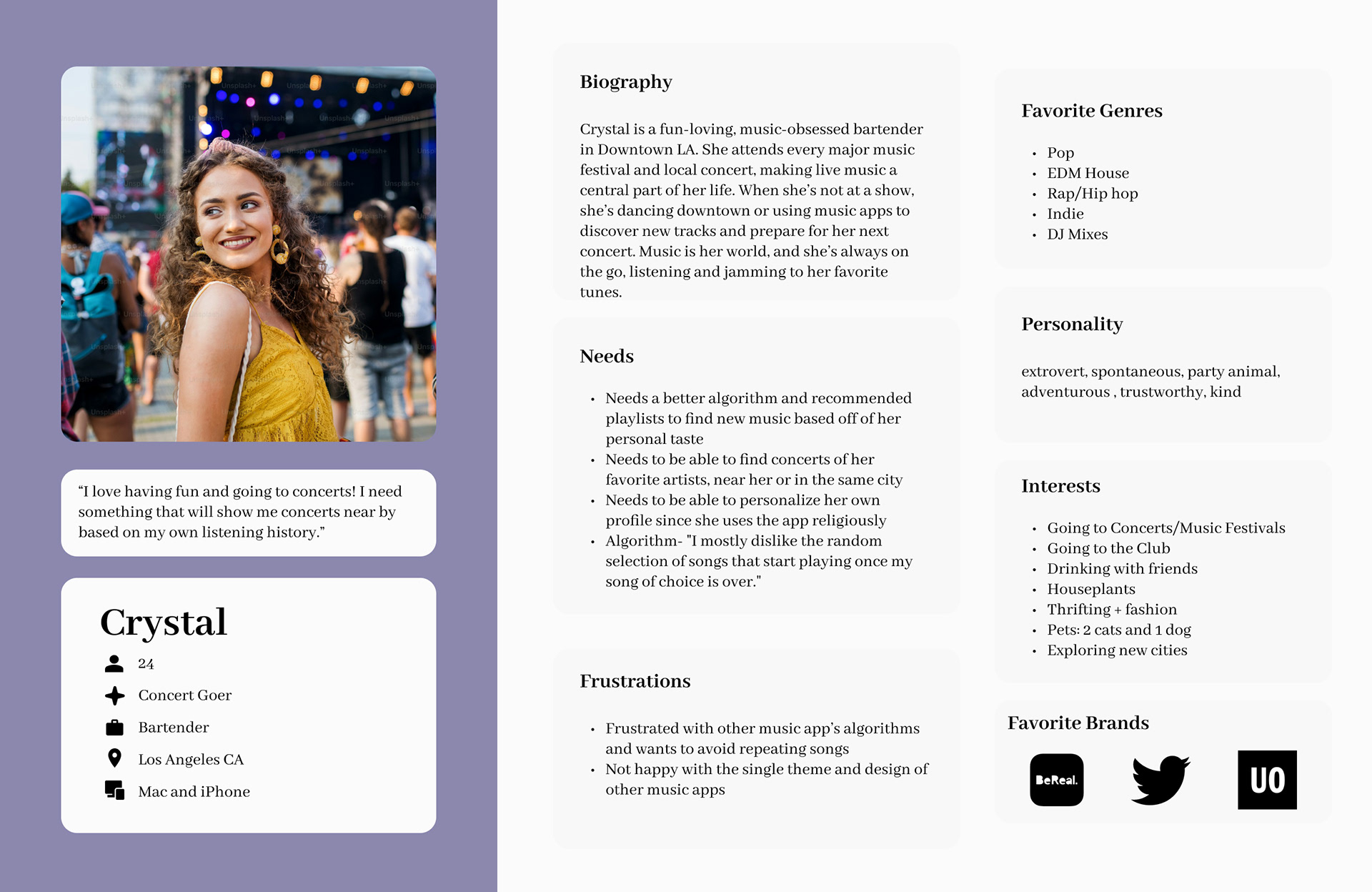
Using our research we created four user personas; focusing on casual music listeners, concert-goers, and artists/venues looking for a fresh, dynamic experience. We’ve created users who were frustrated with their current music apps and who deserved more—more simplicity, more efficiency, and more personalized control. No more cluttered, confusing interfaces, our app was aimed to be designed with an intuitive, user-friendly layout that offers fully customizable organization tailored to each user’s preferences.
Phase 2: Development
Building on our research insights, we transitioned into the branding, design, and testing phase to bring our app concept to life. In this phase, we developed a user flow to outline key pathways, ensuring a seamless app experience from discovering local artists to purchasing tickets. Based on this structure, we created low-fidelity wireframes to visualize the app's layout and core features, focusing on simplicity and usability.
User testing with diverse participants provided valuable feedback on navigation and functionality, allowing us to refine the design and address pain points. This iterative process ensured our app was user-centered, aligned with branding, and ready for the next stages of development.
Value Proposition
Stay in the loop with live concerts, discover emerging artists, and enjoy music like never before. Our app combines the best features of your favorite platforms—SoundCloud, Spotify, Shazam, Apple Music—into one simple, fun, and seamless experience. Forget switching between apps: we’ve got music, concerts, and ticketing all in one place. Built for music lovers, artists, and venues, it’s the all-in-one hub designed with you in mind. The final champion of the music app war, your victor, made for you—welcome to the future of music streaming and discovery, where simplicity meets excitement.
User Flow
Building on the SoundCloud user flow as a reference, we designed a unique and intuitive user flow tailored specifically to our music app. Our flow focuses on enhancing user experience by streamlining navigation and incorporating features that address both user needs and common frustrations. The primary pages include:
- Home Page: A personalized hub featuring curated content, trending music, and artist recommendations to engage users immediately.
- Search Page: A robust search functionality that allows users to discover songs, artists, playlists, and upcoming concerts with ease.
- Library Page: A centralized space for users to manage their favorite songs, playlists, albums, and artists.
- Concert Page: A standout feature that enables users to discover local concerts and purchase tickets directly within the app, bridging the gap between streaming and live music experiences.
By integrating these pages, we created a user-centric design prioritizing convenience, personalization, and a unique connection to live music events.
Low-Fidelity Wireframe
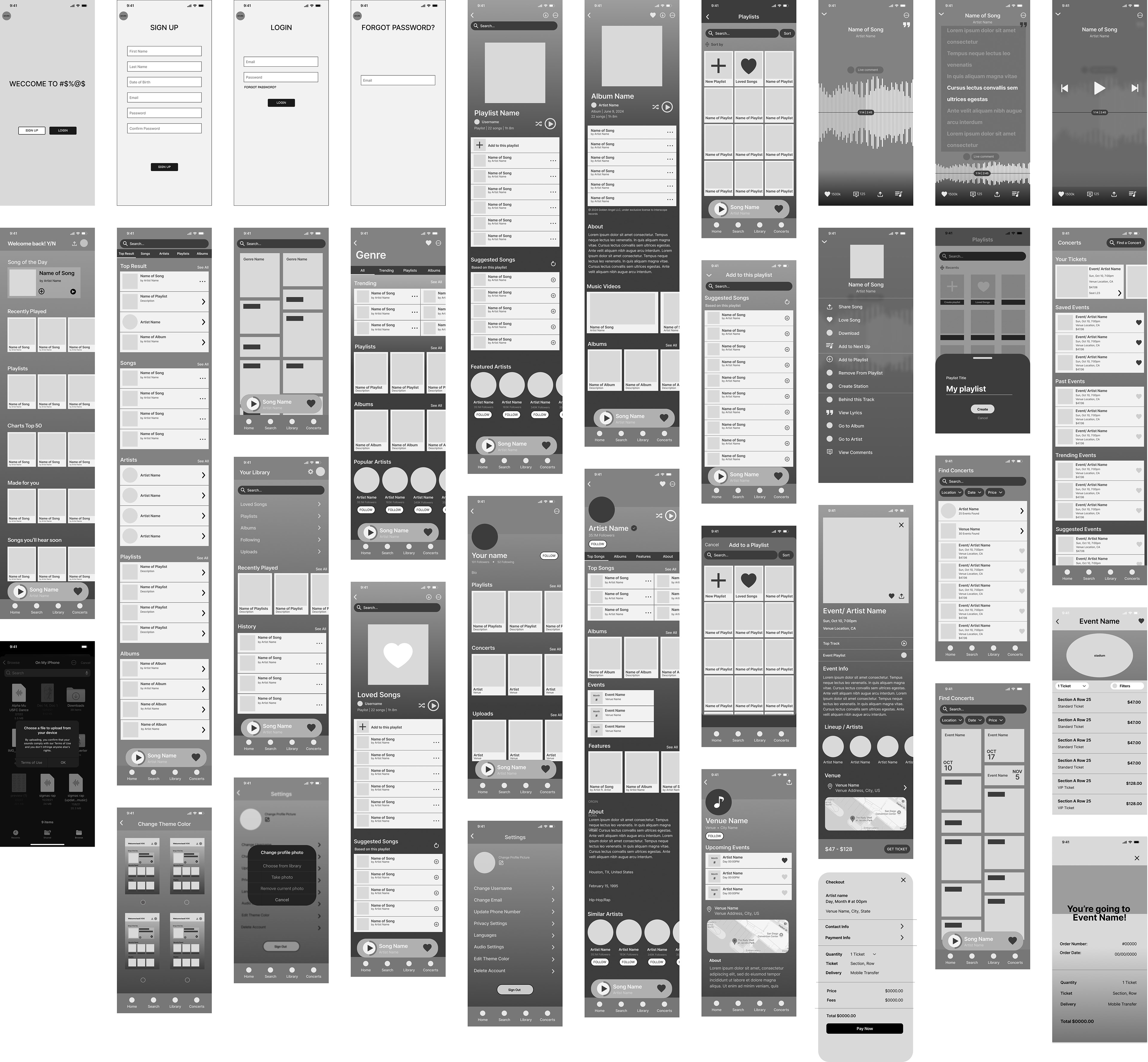
After completing user research, analyzing competitors, defining our app's core values, and developing a user flow, we progressed to designing a low-fidelity wireframe. This wireframe served as a foundational blueprint for the app's structure and functionality. It included three key prototyped flows:
- Login/Sign-Up Flow: A streamlined process to ensure users can effortlessly create an account or log in.
- Adding/Removing a Song from a Playlist: A flow allowing users to manage their playlists, with options to add or remove songs intuitively.
- Purchasing a Concert Ticket: A dedicated flow enabling users to seamlessly explore concert options and complete ticket purchases directly within the app.
These prototyped flows were integral to visualizing the app's navigation and interaction points, providing a clear roadmap for further development and user testing.
Interactive Lo-Fi Wireframe
User Testing and Analysis #1
After designing our low-fidelity wireframe and prototyping the three main flows, we conducted user interviews with four participants aged 20-22. These interviews allowed us to gather valuable feedback on the app's usability, navigation, and overall flow logic. By observing real users interact with the prototype, we gained insights into how intuitive the design felt, identified pain points, and uncovered areas for improvement. This feedback was instrumental in refining the user experience and ensuring that our design addressed both functional and usability concerns.
Demographics of Interviewees:
1. Danilo Martinez (he/him), 21 years old, Student
2. Grace Esparza (she/her), 20 years old, Student
3. Nikki Sanchez (they/them), 22 years old, Student
4. Camille Guangco (she/her), 22 years old, Student
2. Grace Esparza (she/her), 20 years old, Student
3. Nikki Sanchez (they/them), 22 years old, Student
4. Camille Guangco (she/her), 22 years old, Student
Main Challenges Identified in Flows:
Flow 1: Creating an Account/Logging In:
Users found the process streamlined, simple, and easy.
Users found the process streamlined, simple, and easy.
Flow 2: Adding/Removing a Song from a Playlist:
Users struggled with small hit-boxes for icons, unclear navigation for removing songs, and back button usability.
Users struggled with small hit-boxes for icons, unclear navigation for removing songs, and back button usability.
Flow 3: Purchasing a Concert Ticket:
Users were confused about the lack of input fields for payment and contact information, though navigation was straightforward.
Users were confused about the lack of input fields for payment and contact information, though navigation was straightforward.
Key Insights from User Feedback:
- Users found multiple ways to complete the same task, such as adding songs to a playlist.
- Navigation issues, like small click areas, overshadowed the logic of the flows.
- Unclear layouts and inconsistent exits negatively affected usability.
Planned Improvements:
- Expand hit-boxes for icons and navigation elements.
- Revise button labels (e.g., "Sign Up" to "Create Account") for clarity.
- Introduce swipe-to-delete functionality for playlists.
- Standardize navigation and screen exits across all pages.
- Add a dedicated checkout page for payment and contact information.
- Improve Figma file organization and fix overlay consistency.
- Prototype a flexible navigation bar for seamless flow transitions.
Benefits of Improvements:
These changes will enhance usability across all app flows, ensuring consistent navigation, better interactivity, and a smoother user experience. By addressing usability bugs and simplifying interactions, the app will feel more intuitive and engaging for users throughout.
These changes will enhance usability across all app flows, ensuring consistent navigation, better interactivity, and a smoother user experience. By addressing usability bugs and simplifying interactions, the app will feel more intuitive and engaging for users throughout.
________________________________
User Testing 1:
Name: Danilo Martinez (he/him)
Age: 21 years old
Occupation: Student
Age: 21 years old
Occupation: Student
________________________________
Hello Danilo,
Today we will be testing three flows for a music app.
The first flow will be “Creating an account/ Logging in” The second flow will be “Adding and removing a song from a playlist” The third flow will be “Purchasing a concert ticket”
User Testing Questions:
The first flow will be “Creating an account/ Logging in” The second flow will be “Adding and removing a song from a playlist” The third flow will be “Purchasing a concert ticket”
User Testing Questions:
You just downloaded and opened this music app, can you show me how you would create an account?
user clicked “sign up” button
user filled in info and clicked “sign up” (should change to create account)
user selected some artist circles, selected a theme color, and clicked “next” button
You are now on the homepage of the app, from here can you show me how you would find a song and add it to your playlist?
user clicked on “library” tab on the bottom nav bar
user clicked on arrow, missed the hit box, clicked on word “playlist” (should make entire bar clickable)
user clicked the playlist tile
user clicked the “+ add to this playlist” option
user clicked a bunch of songs to add, closed the popup, and clicked back to “home”
You just added a song to a playlist, can you show me how you would remove that song?
user clicked the details options next to a song on the playlist
user clicked “remove from playlist”
I noticed you used the “library” tab to add a song to a playlist. Can you explain why and see if you can find an alternative way to find a song and add it to a playlist?
user said clicking library was most comfortable because he uses Spotify and that is how they navigate on there
From the home page user clicked a song tile
Alternative option 1: user clicked the options icon, clicked “add to playlist”, clicked the playlist tile, and successfully added to playlist
user pointed out the “remove from playlist” option was viewable (should create separate overlays for the different song options)
Alternate option 2: user scrolled down to suggested songs and clicked songs to add
Which of these different approaches do you find best? Why?
user said he preferred the “add to this playlist” option at the top because it felt most accessible and similar to Spotify
Now click on the concerts page, how would you purchase a concert ticket?
user clicked an event tile, clicked “get ticket” button, selected a seat tile
user could not view the “pay now” button on his screen because of the way he was viewing, I showed him the final page
What did you think of the layout of the content on the Event/ Artist Name page?
user liked that it had all desired info, location, time, lineup etc
user liked that he can view the event playlist
user pointed out that the “x” button on the top right corner was confusing at first because before that point navigation and exiting a page was always done with an “<” button on the top left corner, said he felt trapped in the ticket selection page because of it
What did you think of the checkout experience?
user said it was very easy and straightforward
user said he was confused there was nowhere to enter his contact and payment information
Can you tell me what you think of the lyrics view when on the active song playing option?
user said it looked very cool
TAKEAWAY / NOTES
change text of “sign up” button to “create account”
make the entire bars clickable on the library page
create different “song option” overlays based on when clicking from playlist
make screen exits/ navigation consistent to the top left corner and with the same icon
make hit boxes for all details icons and navigation icons bigger
Alternate option 2: user scrolled down to suggested songs and clicked songs to add
Which of these different approaches do you find best? Why?
user said he preferred the “add to this playlist” option at the top because it felt most accessible and similar to Spotify
Now click on the concerts page, how would you purchase a concert ticket?
user clicked an event tile, clicked “get ticket” button, selected a seat tile
user could not view the “pay now” button on his screen because of the way he was viewing, I showed him the final page
What did you think of the layout of the content on the Event/ Artist Name page?
user liked that it had all desired info, location, time, lineup etc
user liked that he can view the event playlist
user pointed out that the “x” button on the top right corner was confusing at first because before that point navigation and exiting a page was always done with an “<” button on the top left corner, said he felt trapped in the ticket selection page because of it
What did you think of the checkout experience?
user said it was very easy and straightforward
user said he was confused there was nowhere to enter his contact and payment information
Can you tell me what you think of the lyrics view when on the active song playing option?
user said it looked very cool
TAKEAWAY / NOTES
change text of “sign up” button to “create account”
make the entire bars clickable on the library page
create different “song option” overlays based on when clicking from playlist
make screen exits/ navigation consistent to the top left corner and with the same icon
make hit boxes for all details icons and navigation icons bigger
________________________________
User Testing 2:
Name: Grace Esparza (she/her)
Age: 20 years old
Occupation: Student, Yogurt-land
Age: 20 years old
Occupation: Student, Yogurt-land
________________________________
Hello Grace,
Today we will be testing three flows for a music app.
The first flow will be “Creating an account/ Logging in” The second flow will be “Adding and removing a song from a playlist” The third flow will be “Purchasing a concert ticket”
User Testing Questions:
The first flow will be “Creating an account/ Logging in” The second flow will be “Adding and removing a song from a playlist” The third flow will be “Purchasing a concert ticket”
User Testing Questions:
You just downloaded and opened this music app, can you show me how you would create an account?
user clicked “sign up” button
user filled in info and clicked “sign up” (should change to create account)
user selected some artist circles, selected a theme color, and clicked “next” button
You are now on the homepage of the app, from here can you show me how you would find a song and add it to your playlist?
user clicked on “search” tab on the bottom nav bar, clicked search bar
user struggled to click on song options
user clicked “add to playlist”
user clicked the playlist tile
You just added a song to a playlist, can you show me how you would remove that song?
user clicked the details options next to a song on the playlist
user clicked “remove from playlist”
I noticed you used the “search” tab to add a song to a playlist. Can you explain why and see if you can find an alternative way to find a song and add it to a playlist?
user said clicking search was easiest and probably how she would find a song to add
Alternative option 1: From the home page user clicked on “library” tab on the bottom nav bar, user clicked on arrow, clicked on word “playlist”, clicked the playlist tile, user clicked the “+ add to this playlist” option
Alternative option 2: user clicked the options icon from song view, clicked “add to playlist”, clicked the playlist tile, and successfully added to playlist
user clicked on “search” tab on the bottom nav bar, clicked search bar
user struggled to click on song options
user clicked “add to playlist”
user clicked the playlist tile
You just added a song to a playlist, can you show me how you would remove that song?
user clicked the details options next to a song on the playlist
user clicked “remove from playlist”
I noticed you used the “search” tab to add a song to a playlist. Can you explain why and see if you can find an alternative way to find a song and add it to a playlist?
user said clicking search was easiest and probably how she would find a song to add
Alternative option 1: From the home page user clicked on “library” tab on the bottom nav bar, user clicked on arrow, clicked on word “playlist”, clicked the playlist tile, user clicked the “+ add to this playlist” option
Alternative option 2: user clicked the options icon from song view, clicked “add to playlist”, clicked the playlist tile, and successfully added to playlist
Which of these different approaches do you find best? Why?
user said she preferred either the “search” option because it felt most obvious and also said they liked the “Suggested songs” way and “+ add to playlist” options because they are the fasted
Now click on the concerts page, how would you purchase a concert ticket?
user clicked an event tile, clicked “get ticket” button, selected a seat tile
user clicked the “pay now” button and exited the page
user said she preferred either the “search” option because it felt most obvious and also said they liked the “Suggested songs” way and “+ add to playlist” options because they are the fasted
Now click on the concerts page, how would you purchase a concert ticket?
user clicked an event tile, clicked “get ticket” button, selected a seat tile
user clicked the “pay now” button and exited the page
What did you think of the layout of the content on the Event/ Artist Name page?
user liked that it had a top track option and an option to see event playlist
What did you think of the checkout experience?
user said it was very simple and easy
user seemed confused that there was nowhere to enter her contact and payment information
Can you tell me what you think of the overall navigation experience?
user said it seemed pretty easy to understand and go through navigation however most of the buttons were hard to click
TAKEAWAY / NOTES
make all hitboxes for all details icons and navigation icons much bigger
user liked that it had a top track option and an option to see event playlist
What did you think of the checkout experience?
user said it was very simple and easy
user seemed confused that there was nowhere to enter her contact and payment information
Can you tell me what you think of the overall navigation experience?
user said it seemed pretty easy to understand and go through navigation however most of the buttons were hard to click
TAKEAWAY / NOTES
make all hitboxes for all details icons and navigation icons much bigger
make screen exits/ navigation consistent to the top left corner and with the same icon
________________________________
User Testing 3:
Name: Nikki Sanchez (they/them)
Age: 22 years old
Occupation: Student
Age: 22 years old
Occupation: Student
________________________________
Hello Nikki,
Today we will be testing three flows for a music app.
The first flow will be “Creating an account/ Logging in” The second flow will be “Adding and removing a song from a playlist” The third flow will be “Purchasing a concert ticket”
User Testing Questions:
The first flow will be “Creating an account/ Logging in” The second flow will be “Adding and removing a song from a playlist” The third flow will be “Purchasing a concert ticket”
User Testing Questions:
You just downloaded and opened this music app, can you show me how you would create an account?
You are now on the homepage of the app, from here can you show me how you would find a song and add it to your playlist?
You just added a song to a playlist, can you show me how you would remove that song?
Now click on the concerts page, how would you purchase a concert ticket?
Which of these different approaches do you find best? Why?
They liked scrolling down the homepage to find a song to add
They liked scrolling down the homepage to find a song to add
Now click on the concerts page, how would you purchase a concert ticket?
user clicked a concert name and event and purchased a ticket
What did you think of the layout of the content on the Event/ Artist Name page?
They said it was easy to read and had good information
What did you think of the checkout experience?
Easy experience
Can you tell me what you think of the overall navigation experience?
felt like they needed to double click to go through the buttons in the app, the buttons are probably too small
TAKEAWAY / NOTES
had trouble removing the song
back button doesn't work well
checkout needs to be fixed
everything was fine except removing the song, had to go to to song instead of the playlist
checking out was fine, couldn't put any information and super easy to buy concert tickets
navigation experience was nice and easy
event/artist lineup i like that its nice
likes song of the day, “songs you'll hear soon sounds ominous”
________________________________
User Testing 4:
Name: Camille Guangco (she/her)
Age: 22 years old
Occupation: Student
Age: 22 years old
Occupation: Student
________________________________
Hello Camille,
Today we will be testing three flows for a music app.
The first flow will be “Creating an account/ Logging in” The second flow will be “Adding and removing a song from a playlist” The third flow will be “Purchasing a concert ticket”
User Testing Questions:
The first flow will be “Creating an account/ Logging in” The second flow will be “Adding and removing a song from a playlist” The third flow will be “Purchasing a concert ticket”
User Testing Questions:
You just downloaded and opened this music app, can you show me how you would create an account?
You are now on the homepage of the app, from here can you show me how you would find a song and add it to your playlist?
You just added a song to a playlist, can you show me how you would remove that song?
Now click on the concerts page, how would you purchase a concert ticket?
Which of these different approaches do you find best? Why?
She clicked from the song of the day and proceeded to add a song to the playlist
Now click on the concerts page, how would you purchase a concert ticket?
chose an event through the concerts homepage and purchased her ticket
What did you think of the layout of the content on the Event/ Artist Name page?
Thought the content was good
What did you think of the checkout experience?
Had an easy checkout experience
Can you tell me what you think of the overall navigation experience?
Likes the layout but did have trouble removing a song, and some tabs go to random back pages. Felt like she didn’t have options from the concerts page to go back to the home screen
TAKEAWAY / NOTES
Text not hard to read, seemed intentional
3 dotted icons felt to small to press
Easy to read and find information
Easy to checkout
Sometimes didn’t have options, from concerts couldn’t go to the home screen
She clicked from the song of the day and proceeded to add a song to the playlist
Now click on the concerts page, how would you purchase a concert ticket?
chose an event through the concerts homepage and purchased her ticket
What did you think of the layout of the content on the Event/ Artist Name page?
Thought the content was good
What did you think of the checkout experience?
Had an easy checkout experience
Can you tell me what you think of the overall navigation experience?
Likes the layout but did have trouble removing a song, and some tabs go to random back pages. Felt like she didn’t have options from the concerts page to go back to the home screen
TAKEAWAY / NOTES
Text not hard to read, seemed intentional
3 dotted icons felt to small to press
Easy to read and find information
Easy to checkout
Sometimes didn’t have options, from concerts couldn’t go to the home screen
Phase 3: Design
In the design phase, we refined our vision and brought the app to life. We started by creating a moodboard to establish the visual style and draw inspiration for the app’s aesthetic. This guided the development of our design system, which included a cohesive set of colors, typography, and UI components to ensure consistency throughout the app.
Using these elements, we created a high-fidelity wireframe that fully realized the app's functionality and visual identity. We then conducted another round of user testing to gather feedback on the polished design. Insights from these sessions informed final adjustments, allowing us to fine-tune usability and aesthetics before completing the final design of the app.
Moodboard + Inspiration
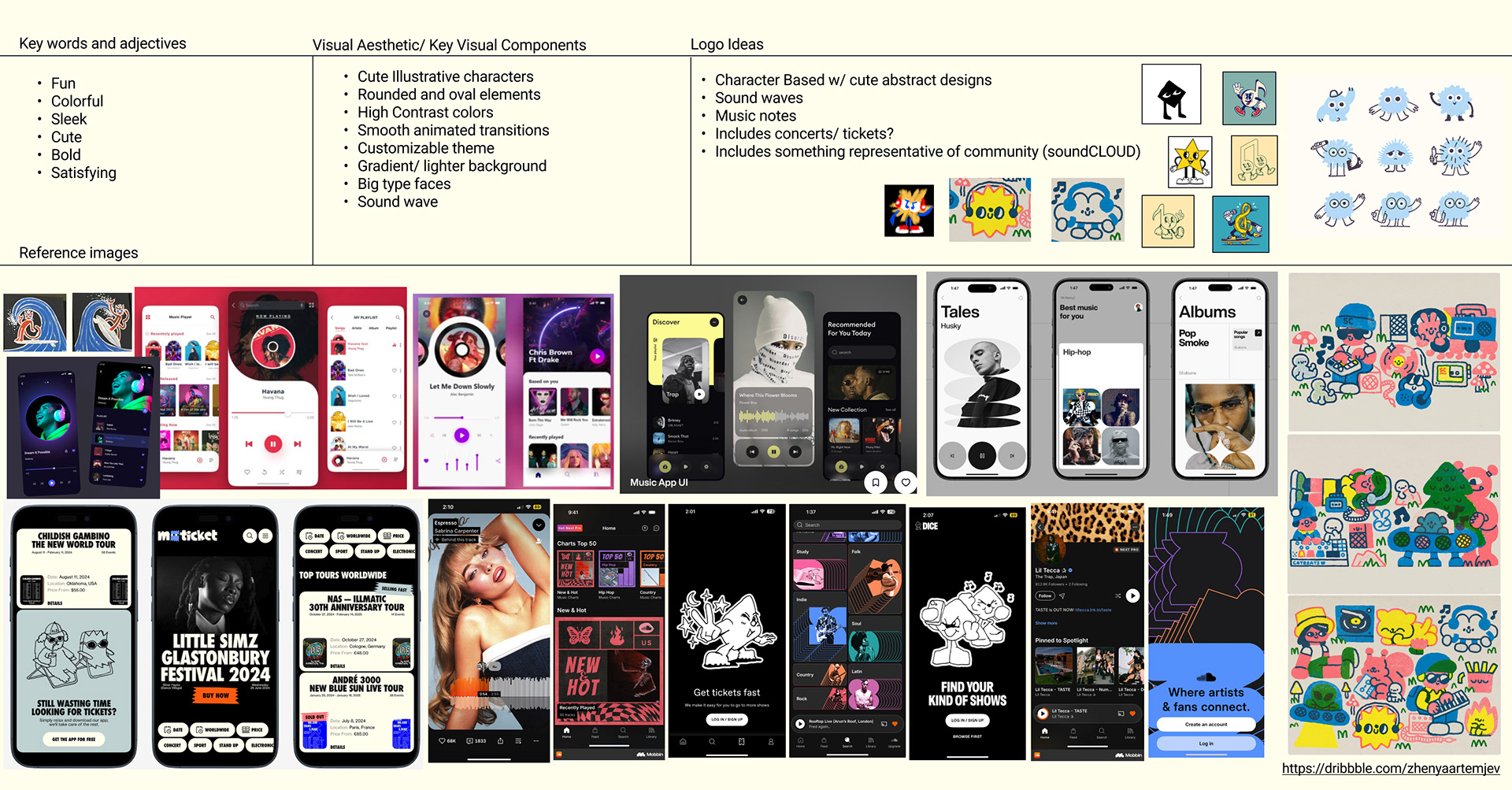
Our design was heavily inspired by apps like Dice, which stood out for its playful use of cute characters and an intuitive, visually appealing concert ticket browsing and checkout experience. These elements aligned with our goal of creating a fun and engaging user experience.
We drew inspiration from bold, heavy fonts that command attention and evoke a modern, energetic feel. To complement this typography, we opted for a color palette with high contrast tones, set against soft off-white backgrounds, creating a clean yet vibrant aesthetic. This combination ensured accessibility while maintaining a contemporary and dynamic look.
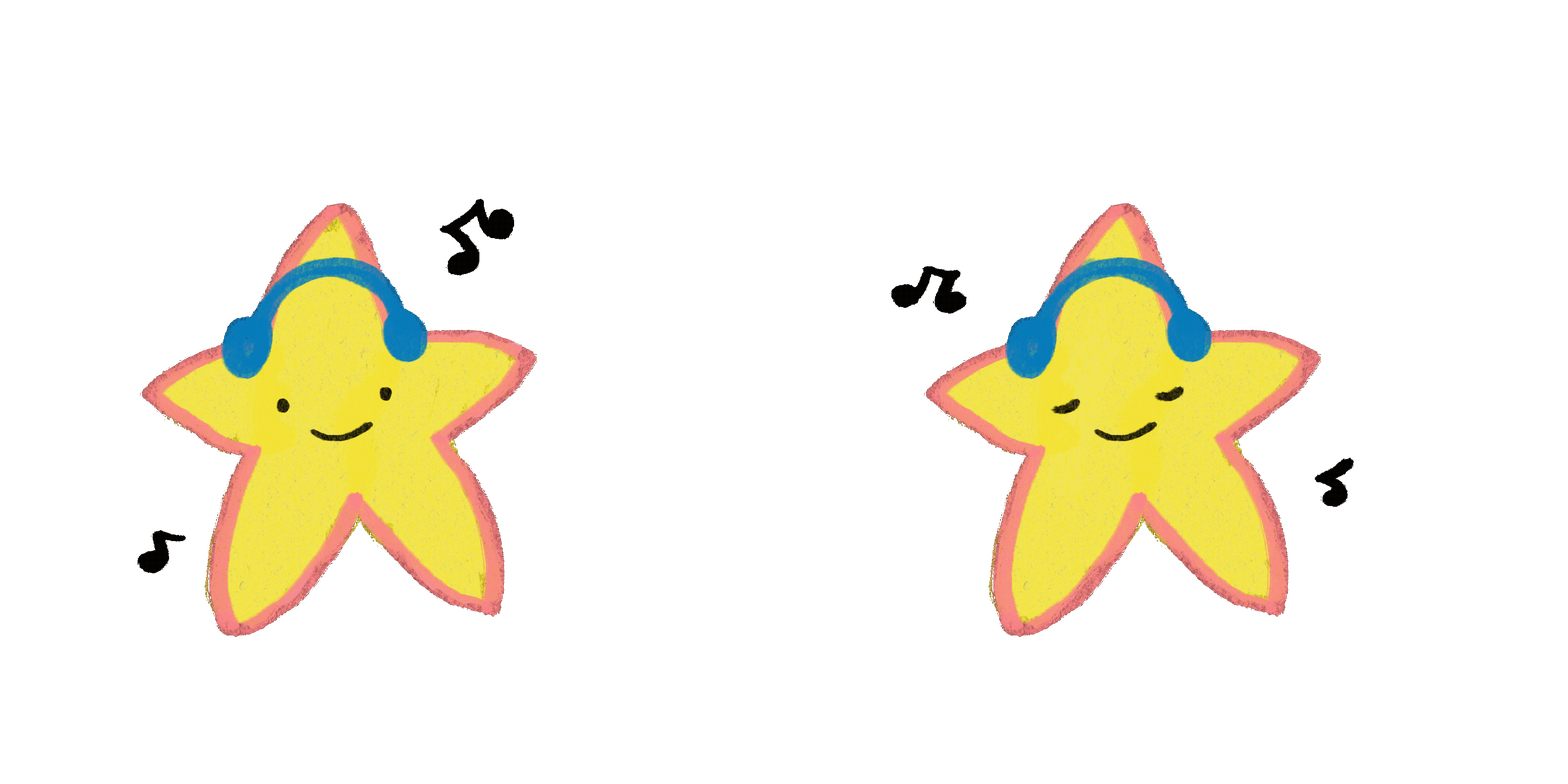
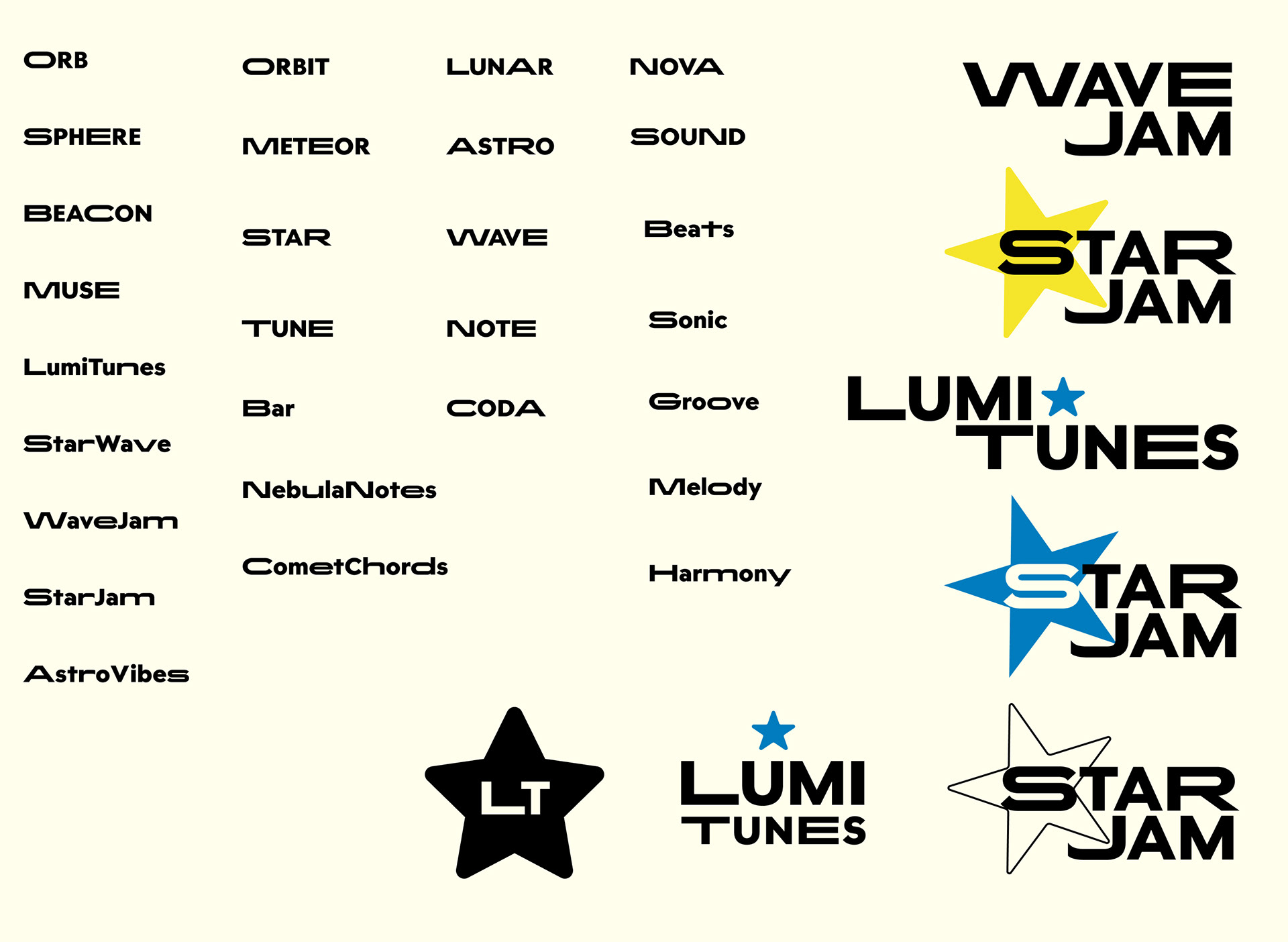
When brainstorming the name and logo for our app, we explored star-themed concepts that evoke feelings of creativity, discovery, and connection. This theme aligned with our app’s mission of helping users explore and connect with music and live events in unique and meaningful ways.
Design System
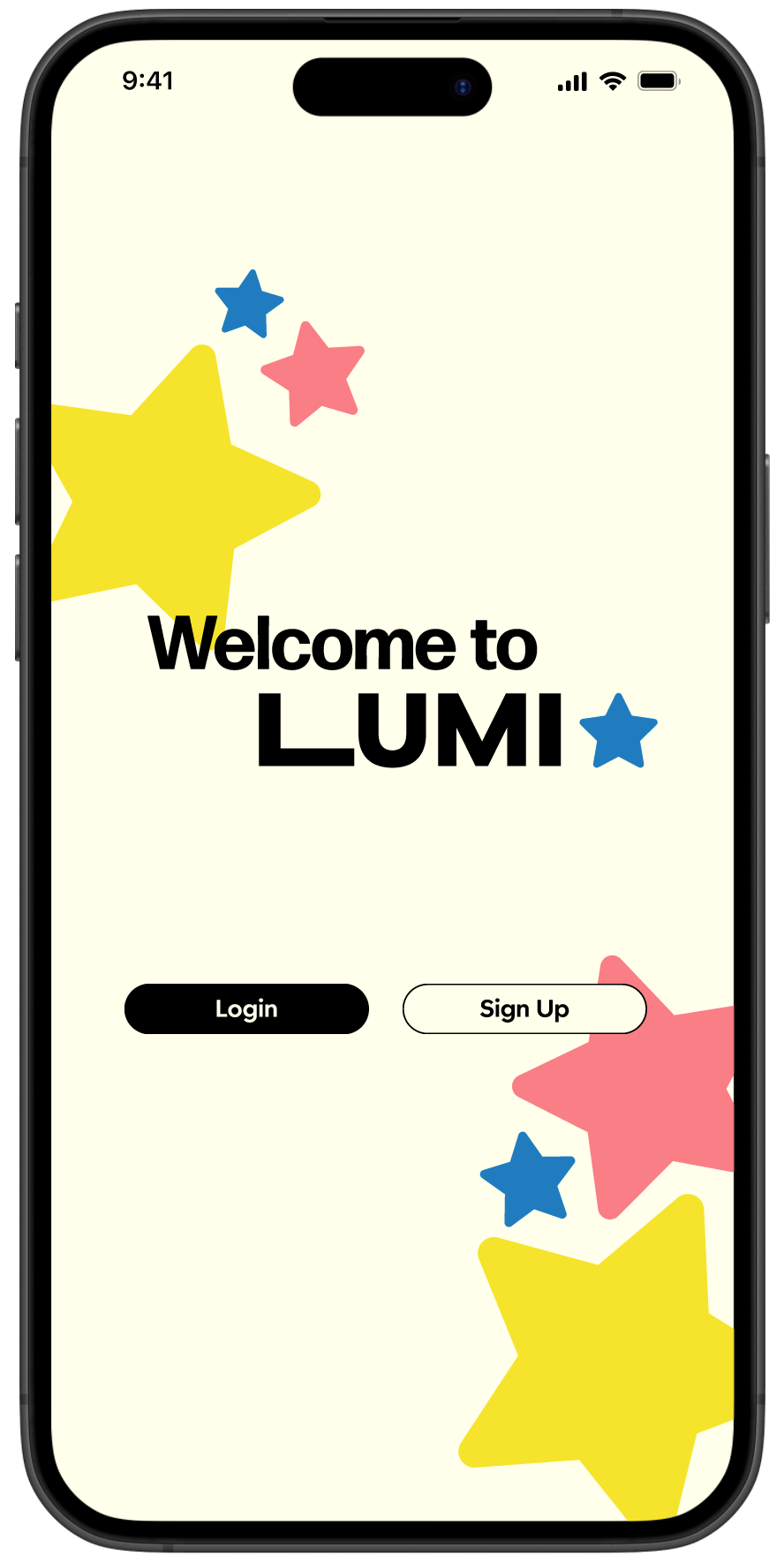
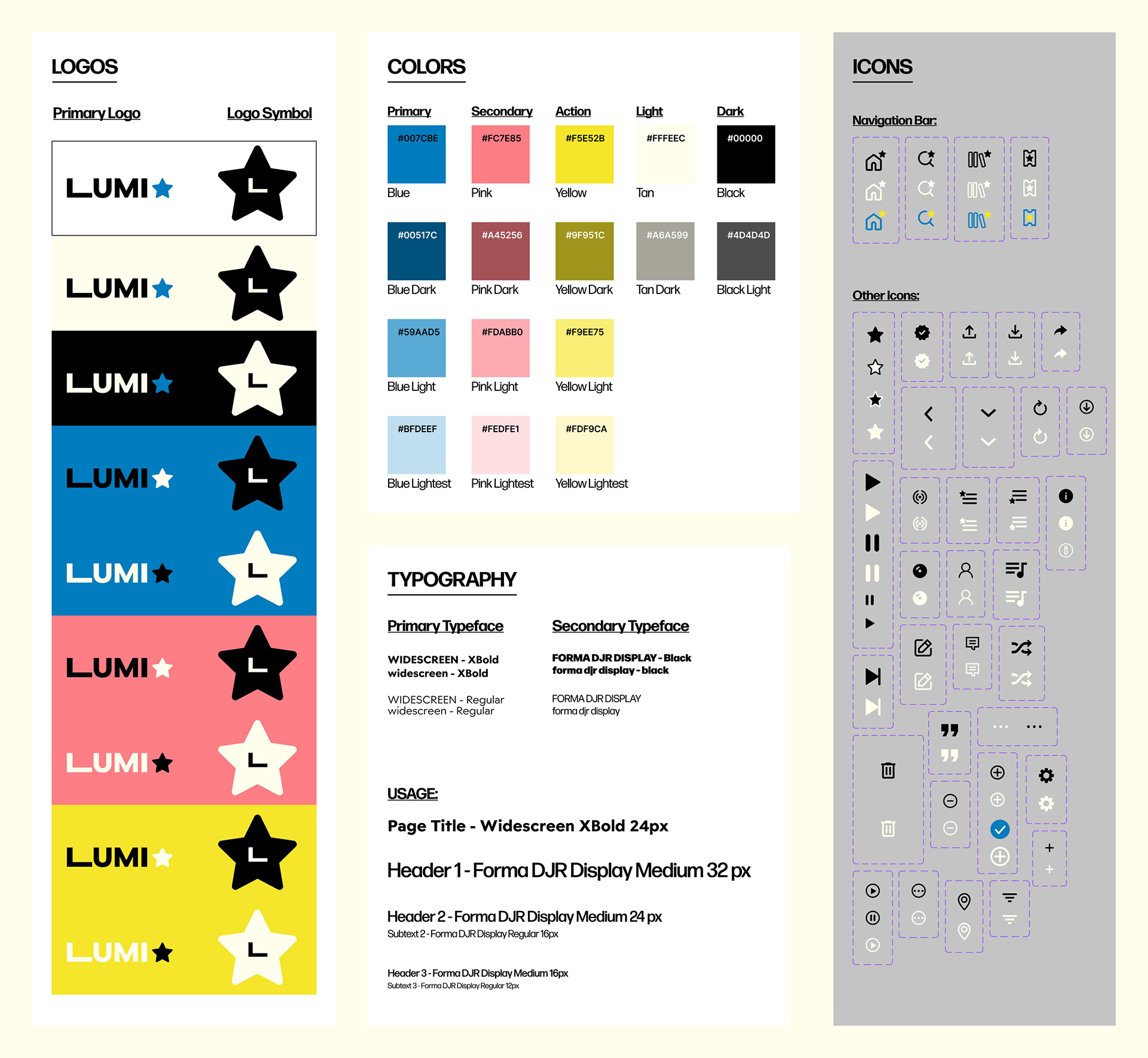
For our final design system, we embraced the name LUMI, which reflects creativity and exploration. We designed two logos: a primary logo featuring the full typeface and a simple symbol logo incorporating the letter "L" within a star, reinforcing our app's celestial theme.
Our color palette is bold and playful, consisting of vibrant blue, pink, and yellow to evoke energy and excitement. For contrast and accessibility, we complemented these with true black and a soft light tan as our dark and light neutrals, ensuring our designs remained visually striking across various interfaces.
For typography, we selected Widescreen for primary titles and prominent displays, giving the app a modern and impactful feel. To balance this, we used Format DJR Display for secondary text, offering a clean and refined aesthetic that supported the overall design hierarchy.
Our design system also featured a custom set of icons, specifically designed for the main navigation bar. These icons incorporated the star logo into their shapes, adding a cohesive and personalized touch to the interface. This attention to detail ensured that every element of the design system reflected the app’s unique identity and user-friendly ethos.

High-Fidelity Design
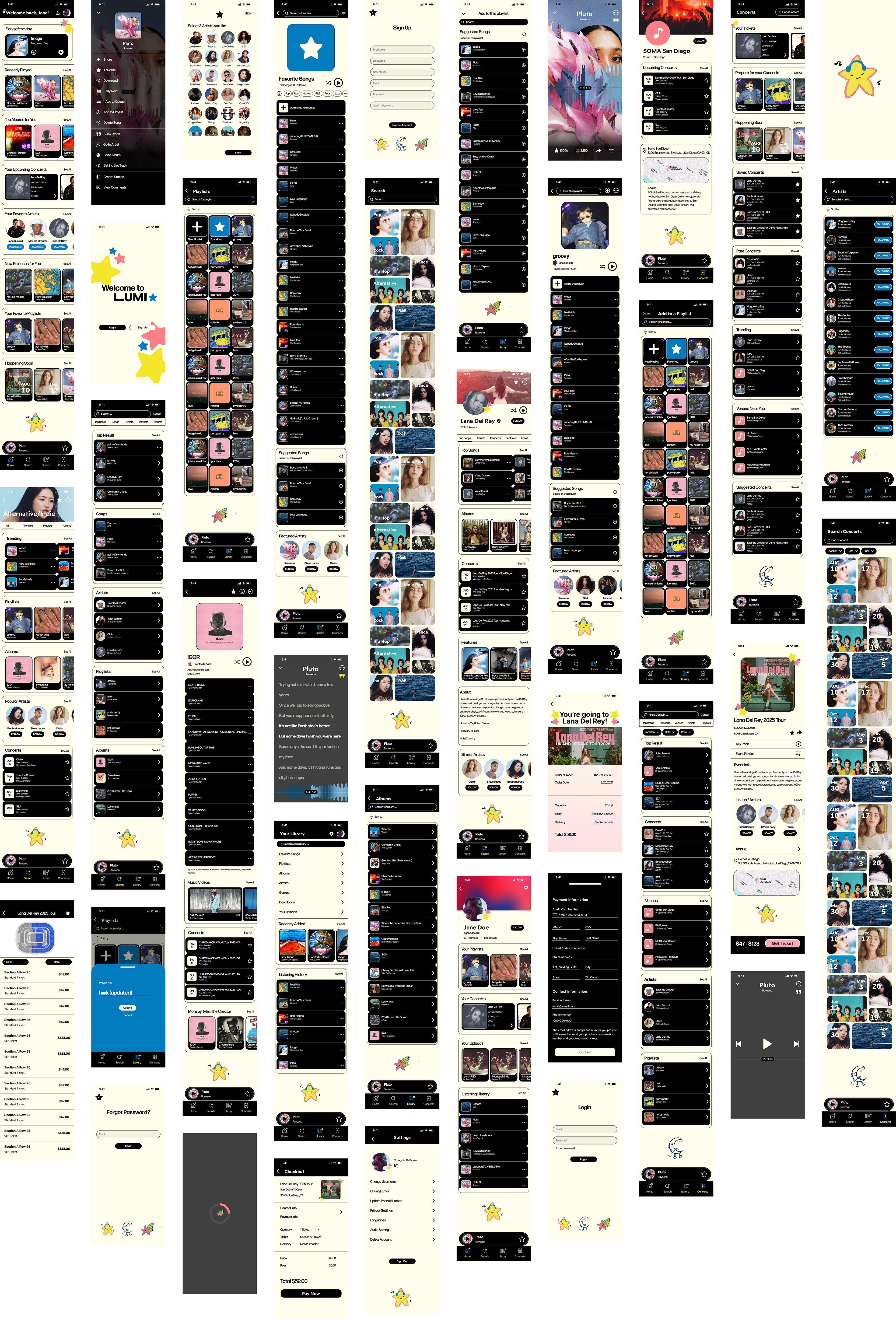
After completing our research, conducting the first round of testing on our wireframe, and finalizing our design system, we transitioned into the high-fidelity design phase of our app prototype. This phase marked a significant step forward, where we refined the visual elements and interactions to create a more polished and realistic version of the app.
We meticulously finalized all design components, including buttons, icons, typography, and color schemes, ensuring consistency across the entire app. By solidifying these elements early on, we were able to streamline the building process, making the transition from prototype to development more efficient. This phase also allowed us to incorporate feedback from our initial testing, ensuring that the app’s usability and visual appeal were optimized for the best user experience possible.
User Testing and Analysis #2
After finalizing our high-fidelity design and establishing our design system, we moved forward with another round of user testing to evaluate the polished version of our app. We conducted interviews with four participants aged 20-22 to gather insights into the overall aesthetics, functionality, and user experience. These interviews provided us with valuable feedback on the clarity of the visual elements, the effectiveness of our design system, and how well the app's flow matched user expectations. By observing how users interacted with the high-fidelity design, we were able to pinpoint areas that required refinement and identify any inconsistencies, which guided further improvements to enhance usability and visual appeal.
Demographics of Interviewees:
Danilo Martinez (he/him), 21 years old, Student
Grace Esparza (she/her), 20 years old, Student
Nikki Sanchez (they/them), 22 years old, Student
Camille Guangco (she/her), 22 years old, Student
This group provided diverse insights from college-aged students familiar with music apps and tech interfaces, helping us assess usability and flow.
Main Challenges Identified in Flows:
Flow 1: “Creating an Account/Logging In”
Challenges: Inconsistencies in account names displayed (e.g., "John Smith" on the Login/Sign-Up page vs. "Jane Doe" on the Home page).
Plan to Address: Standardize placeholder names and conduct QA checks to ensure accurate dynamic account data.
Challenges: Inconsistencies in account names displayed (e.g., "John Smith" on the Login/Sign-Up page vs. "Jane Doe" on the Home page).
Plan to Address: Standardize placeholder names and conduct QA checks to ensure accurate dynamic account data.
Flow 2: “Adding and Removing a Song from a Playlist”
Challenges: Adding songs was easy, but removing songs was inconsistent (missing "Remove from Playlist" option in some playlists and broken swipe-to-delete functionality).
Plan to Address: Reinstate "Remove from Playlist" option and ensure swipe-to-delete functionality is consistent across all playlists.
Challenges: Adding songs was easy, but removing songs was inconsistent (missing "Remove from Playlist" option in some playlists and broken swipe-to-delete functionality).
Plan to Address: Reinstate "Remove from Playlist" option and ensure swipe-to-delete functionality is consistent across all playlists.
Flow 3: “Purchasing a Concert Ticket”
Challenges: Users found the ticket-purchasing flow intuitive but too short, making the process feel less realistic.
Plan to Address: Add a loading screen animation and explore micro-interactions like progress bars to enhance realism and engagement.
Challenges: Users found the ticket-purchasing flow intuitive but too short, making the process feel less realistic.
Plan to Address: Add a loading screen animation and explore micro-interactions like progress bars to enhance realism and engagement.
Key Insights from User Feedback:
- We were surprised by the positive feedback and how small, overlooked details—such as inconsistent song option icons and an awkward pink star animation—had a noticeable impact on the user experience. - Users found the core features intuitive, but the small issues detracted from the overall feel.
- Small details, such as missing buttons or inconsistent icons, can significantly impact the user experience.
- User testing helps catch overlooked issues that arise from complex flows.
- Accessibility and design consistency are critical for a smooth user experience.
Future Improvements:
- Clickable Area Enhancements: Expand clickable areas for small icons and options to improve usability.
- Button Visibility: Increase contrast and size for key buttons, like "Get Ticket," and explore animations to make them more prominent.
- Consistency: Conduct a thorough review to ensure uniformity across features like swipe-to-delete and placeholder text.
- Engagement Features: Add subtle animations (e.g., loading spinners) to processes like payment confirmation to enhance user engagement.
Planned Next Steps:
- Redesign and test the updated song options menu with the re-added "Remove from Playlist" button.
- Adjust clickable areas for better accessibility.
- Improve the visibility and size of the "Get Ticket" button.
- Conduct a design consistency review and plan another round of user testing after implementing updates.
________________________________
User Testing 1:
Name: Danilo Martinez (he/him)
Age: 21 years old
Occupation: Student
Age: 21 years old
Occupation: Student
________________________________
Hello Danilo,
Today we will be testing three flows for a music app.The first flow will be “Creating an account/ Logging in” The second flow will be “Adding and removing a song from a playlist” The third flow will be “Purchasing a concert ticket”
User Testing Questions:
You just downloaded and opened this music app, can you show me how you would create an account?
user clicked “sign up” button
user filled in info and clicked “sign up” (should change to create account)
user selected some artist circles, selected a theme color, and clicked “next” button
You are now on the homepage of the app, from here can you show me how you would find a song and add it to your playlist?
user clicked on “library” tab on the bottom nav bar
user clicked on arrow, missed the hit box, clicked on word “playlist” (should make entire bar clickable)
user clicked the playlist tile
user clicked the “+ add to this playlist” option
user clicked a bunch of songs to add, closed the popup, and clicked back to “home”
You just added a song to a playlist, can you show me how you would remove that song?
user clicked the details options next to a song on the playlist
user clicked “remove from playlist”
I noticed you used the “library” tab to add a song to a playlist. Can you explain why and see if you can find an alternative way to find a song and add it to a playlist?
user said clicking library was most comfortable because he uses Spotify and that is how they navigate on there
From the home page user clicked a song tile
Alternative option 1: user clicked the options icon, clicked “add to playlist”, clicked the playlist tile, and successfully added to playlist
user clicked “sign up” button
user filled in info and clicked “sign up” (should change to create account)
user selected some artist circles, selected a theme color, and clicked “next” button
You are now on the homepage of the app, from here can you show me how you would find a song and add it to your playlist?
user clicked on “library” tab on the bottom nav bar
user clicked on arrow, missed the hit box, clicked on word “playlist” (should make entire bar clickable)
user clicked the playlist tile
user clicked the “+ add to this playlist” option
user clicked a bunch of songs to add, closed the popup, and clicked back to “home”
You just added a song to a playlist, can you show me how you would remove that song?
user clicked the details options next to a song on the playlist
user clicked “remove from playlist”
I noticed you used the “library” tab to add a song to a playlist. Can you explain why and see if you can find an alternative way to find a song and add it to a playlist?
user said clicking library was most comfortable because he uses Spotify and that is how they navigate on there
From the home page user clicked a song tile
Alternative option 1: user clicked the options icon, clicked “add to playlist”, clicked the playlist tile, and successfully added to playlist
user pointed out the “remove from playlist” option was viewable (should create separate overlays for the different song options)
Alternate option 2: user scrolled down to suggested songs and clicked songs to add
Which of these different approaches do you find best? Why?
user said he preferred the “add to this playlist” option at the top because it felt most accessible and similar to Spotify
Alternate option 2: user scrolled down to suggested songs and clicked songs to add
Which of these different approaches do you find best? Why?
user said he preferred the “add to this playlist” option at the top because it felt most accessible and similar to Spotify
Now click on the concerts page, how would you purchase a concert ticket?
user clicked an event tile, clicked “get ticket” button, selected a seat tile
user could not view the “pay now” button on his screen because of the way he was viewing, I showed him the final page
What did you think of the layout of the content on the Event/ Artist Name page?
user liked that it had all desired info, location, time, lineup etc
user liked that he can view the event playlist
user pointed out that the “x” button on the top right corner was confusing at first because before that point navigation and exiting a page was always done with an “<” button on the top left corner, said he felt trapped in the ticket selection page because of it
What did you think of the checkout experience?
user said it was very easy and straightforward
user said he was confused there was nowhere to enter his contact and payment information
Can you tell me what you think of the lyrics view when on the active song playing option?
user said it looked very cool
TAKEAWAY / NOTES
change text of “sign up” button to “create account”
make the entire bars clickable on the library page
create different “song option” overlays based on when clicking from playlist
make screen exits/ navigation consistent to the top left corner and with the same icon
make hit boxes for all details icons and navigation icons bigger
user clicked an event tile, clicked “get ticket” button, selected a seat tile
user could not view the “pay now” button on his screen because of the way he was viewing, I showed him the final page
What did you think of the layout of the content on the Event/ Artist Name page?
user liked that it had all desired info, location, time, lineup etc
user liked that he can view the event playlist
user pointed out that the “x” button on the top right corner was confusing at first because before that point navigation and exiting a page was always done with an “<” button on the top left corner, said he felt trapped in the ticket selection page because of it
What did you think of the checkout experience?
user said it was very easy and straightforward
user said he was confused there was nowhere to enter his contact and payment information
Can you tell me what you think of the lyrics view when on the active song playing option?
user said it looked very cool
TAKEAWAY / NOTES
change text of “sign up” button to “create account”
make the entire bars clickable on the library page
create different “song option” overlays based on when clicking from playlist
make screen exits/ navigation consistent to the top left corner and with the same icon
make hit boxes for all details icons and navigation icons bigger
________________________________
User Testing 2:
Name: Grace Esparza (she/her)
Age: 20 years old
Occupation: Student, Yogurt-land
Age: 20 years old
Occupation: Student, Yogurt-land
________________________________
Today we will be testing three flows for a music app.
The first flow will be “Creating an account/ Logging in” The second flow will be “Adding and removing a song from a playlist” The third flow will be “Purchasing a concert ticket”
User Testing Questions:
You just downloaded and opened this music app, can you show me how you would create an account?
user clicked “sign up” button
user filled in info and clicked “sign up” (should change to create account)
user selected some artist circles, selected a theme color, and clicked “next” button
You are now on the homepage of the app, from here can you show me how you would find a song and add it to your playlist?
user clicked on “search” tab on the bottom nav bar, clicked search bar
user struggled to click on song options
user clicked “add to playlist”
user clicked the playlist tile
You just added a song to a playlist, can you show me how you would remove that song?
user clicked the details options next to a song on the playlist
user clicked “remove from playlist”
I noticed you used the “search” tab to add a song to a playlist. Can you explain why and see if you can find an alternative way to find a song and add it to a playlist?
user said clicking search was easiest and probably how she would find a song to add
Alternative option 1: From the home page user clicked on “library” tab on the bottom nav bar, user clicked on arrow, clicked on word “playlist”, clicked the playlist tile, user clicked the “+ add to this playlist” option
Alternative option 2: user clicked the options icon from song view, clicked “add to playlist”, clicked the playlist tile, and successfully added to playlist
Which of these different approaches do you find best? Why?
user said she preferred either the “search” option because it felt most obvious and also said they liked the “Suggested songs” way and “+ add to playlist” options because they are the fasted
Now click on the concerts page, how would you purchase a concert ticket?
user clicked an event tile, clicked “get ticket” button, selected a seat tile
user clicked the “pay now” button and exited the page
What did you think of the layout of the content on the Event/ Artist Name page?
user liked that it had a top track option and an option to see event playlist
What did you think of the checkout experience?
user said it was very simple and easy
user seemed confused that there was nowhere to enter her contact and payment information
Can you tell me what you think of the overall navigation experience?
user said it seemed pretty easy to understand and go through navigation however most of the buttons were hard to click
TAKEAWAY / NOTES
make all hit boxes for all details icons and navigation icons much bigger
user said she preferred either the “search” option because it felt most obvious and also said they liked the “Suggested songs” way and “+ add to playlist” options because they are the fasted
Now click on the concerts page, how would you purchase a concert ticket?
user clicked an event tile, clicked “get ticket” button, selected a seat tile
user clicked the “pay now” button and exited the page
What did you think of the layout of the content on the Event/ Artist Name page?
user liked that it had a top track option and an option to see event playlist
What did you think of the checkout experience?
user said it was very simple and easy
user seemed confused that there was nowhere to enter her contact and payment information
Can you tell me what you think of the overall navigation experience?
user said it seemed pretty easy to understand and go through navigation however most of the buttons were hard to click
TAKEAWAY / NOTES
make all hit boxes for all details icons and navigation icons much bigger
________________________________
User Testing 3:
Name: Nikki Sanchez (they/them)
Age: 22 years old
Occupation: Student
Age: 22 years old
Occupation: Student
________________________________
Today we will be testing three flows for a music app.
The first flow will be “Creating an account/ Logging in” The second flow will be “Adding and removing a song from a playlist” The third flow will be “Purchasing a concert ticket”
User Testing Questions:
You just downloaded and opened this music app, can you show me how you would create an account?
You are now on the homepage of the app, from here can you show me how you would find a song and add it to your playlist?
You just added a song to a playlist, can you show me how you would remove that song?
Now click on the concerts page, how would you purchase a concert ticket?
Which of these different approaches do you find best? Why?
They liked scrolling down the homepage to find a song to add
They liked scrolling down the homepage to find a song to add
Now click on the concerts page, how would you purchase a concert ticket?
user clicked a concert name and event and purchased a ticket
What did you think of the layout of the content on the Event/ Artist Name page?
They said it was easy to read and had good information
What did you think of the checkout experience?
Easy experience
Can you tell me what you think of the overall navigation experience?
felt like they needed to double click to go through the buttons in the app, the buttons are probably too small
TAKEAWAY / NOTES
had trouble removing the song
back button doesn't work well
checkout needs to be fixed
everything was fine except removing the song, had to go to to song instead of the playlist
checking out was fine, couldn't put any information and super easy to buy concert tickets
navigation experience was nice and easy
event/artist lineup i like that its nice
likes song of the day, “songs you'll hear soon sounds ominous”
________________________________
User Testing 4:
Name: Camille Guangco (she/her)
Age: 22 years old
Occupation: Student
Age: 22 years old
Occupation: Student
________________________________
Today we will be testing three flows for a music app.
The first flow will be “Creating an account/ Logging in” The second flow will be “Adding and removing a song from a playlist” The third flow will be “Purchasing a concert ticket”
User Testing Questions:
You just downloaded and opened this music app, can you show me how you would create an account?
You are now on the homepage of the app, from here can you show me how you would find a song and add it to your playlist?
You just added a song to a playlist, can you show me how you would remove that song?
Now click on the concerts page, how would you purchase a concert ticket?
Which of these different approaches do you find best? Why?
She clicked from the song of the day and proceeded to add a song to the playlist
Now click on the concerts page, how would you purchase a concert ticket?
chose an event through the concerts homepage and purchased her ticket
What did you think of the layout of the content on the Event/ Artist Name page?
Thought the content was good
What did you think of the checkout experience?
Had an easy checkout experience
Can you tell me what you think of the overall navigation experience?
Likes the layout but did have trouble removing a song, and some tabs go to random back pages. Felt like she didn’t have options from the concerts page to go back to the home screen
TAKEAWAY / NOTES
Text not hard to read, seemed intentional
3 dotted icons felt to small to press
Easy to read and find information
Easy to checkout
Sometimes didn’t have options, from concerts couldn’t go to the home screen
She clicked from the song of the day and proceeded to add a song to the playlist
Now click on the concerts page, how would you purchase a concert ticket?
chose an event through the concerts homepage and purchased her ticket
What did you think of the layout of the content on the Event/ Artist Name page?
Thought the content was good
What did you think of the checkout experience?
Had an easy checkout experience
Can you tell me what you think of the overall navigation experience?
Likes the layout but did have trouble removing a song, and some tabs go to random back pages. Felt like she didn’t have options from the concerts page to go back to the home screen
TAKEAWAY / NOTES
Text not hard to read, seemed intentional
3 dotted icons felt to small to press
Easy to read and find information
Easy to checkout
Sometimes didn’t have options, from concerts couldn’t go to the home screen
Phase 4: Final Design
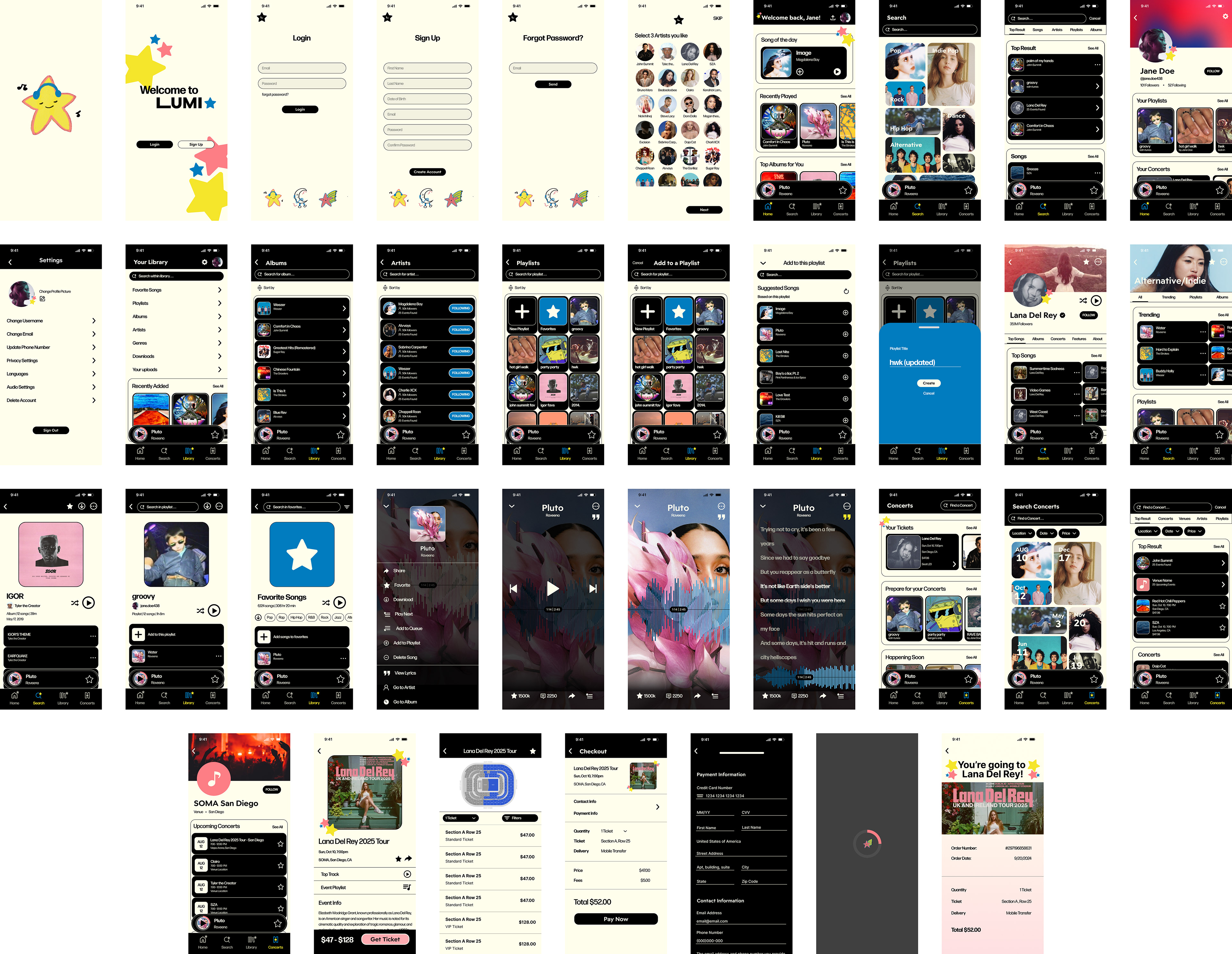
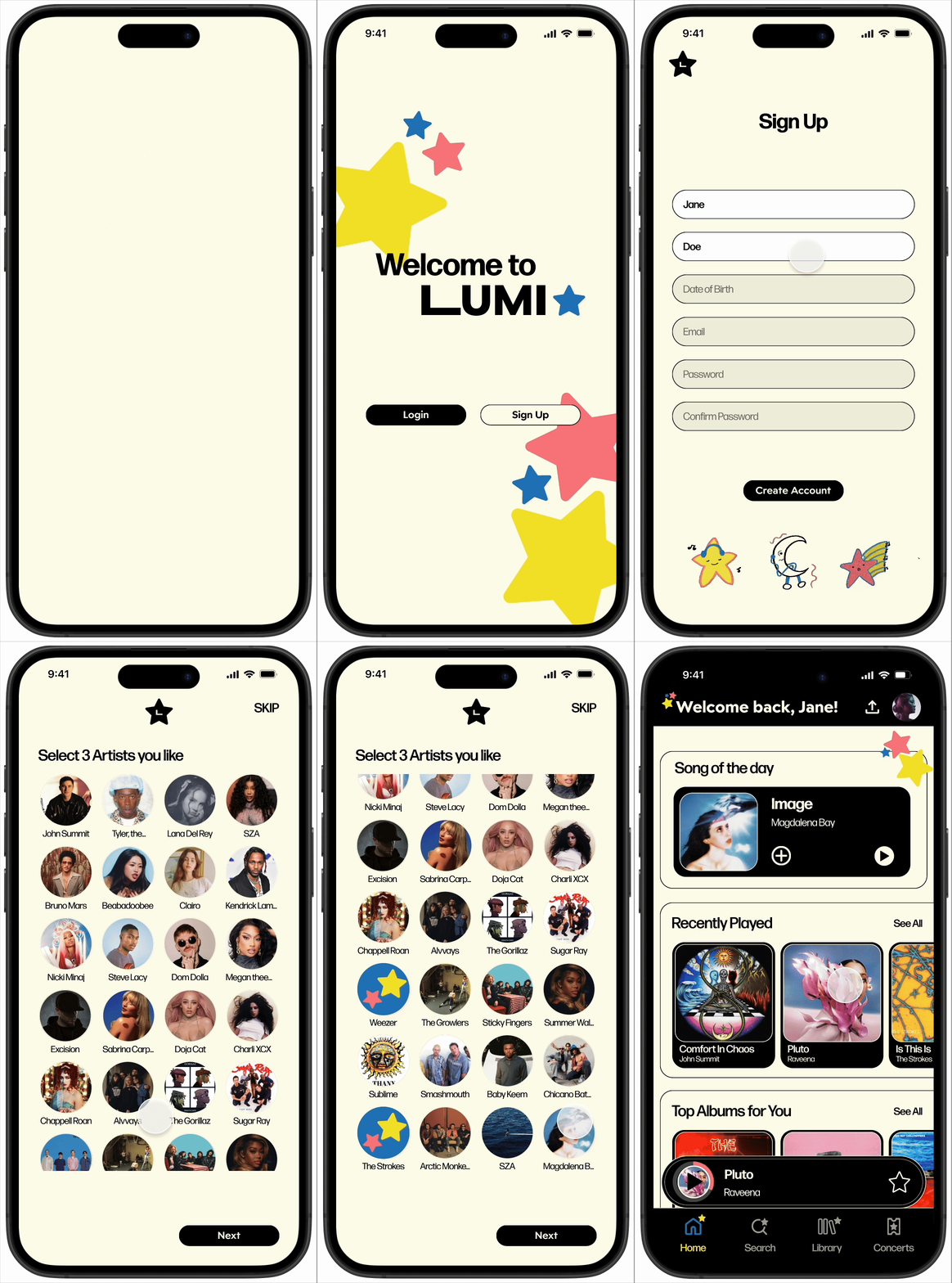
After completing the final round of user testing, we carefully analyzed the feedback and implemented the necessary adjustments to refine our design. This phase involved addressing minor inconsistencies, enhancing usability, and ensuring the overall design aligned with user expectations. We polished key components, such as improving button visibility, optimizing navigation flows, and adding subtle micro-interactions to create a more engaging experience. Additionally, we conducted a thorough quality assurance review to confirm that all elements of the design were cohesive, accessible, and functional across different devices. These improvements culminated in a final design that was both visually appealing and intuitive, ready for presentation or development.
Sign Up
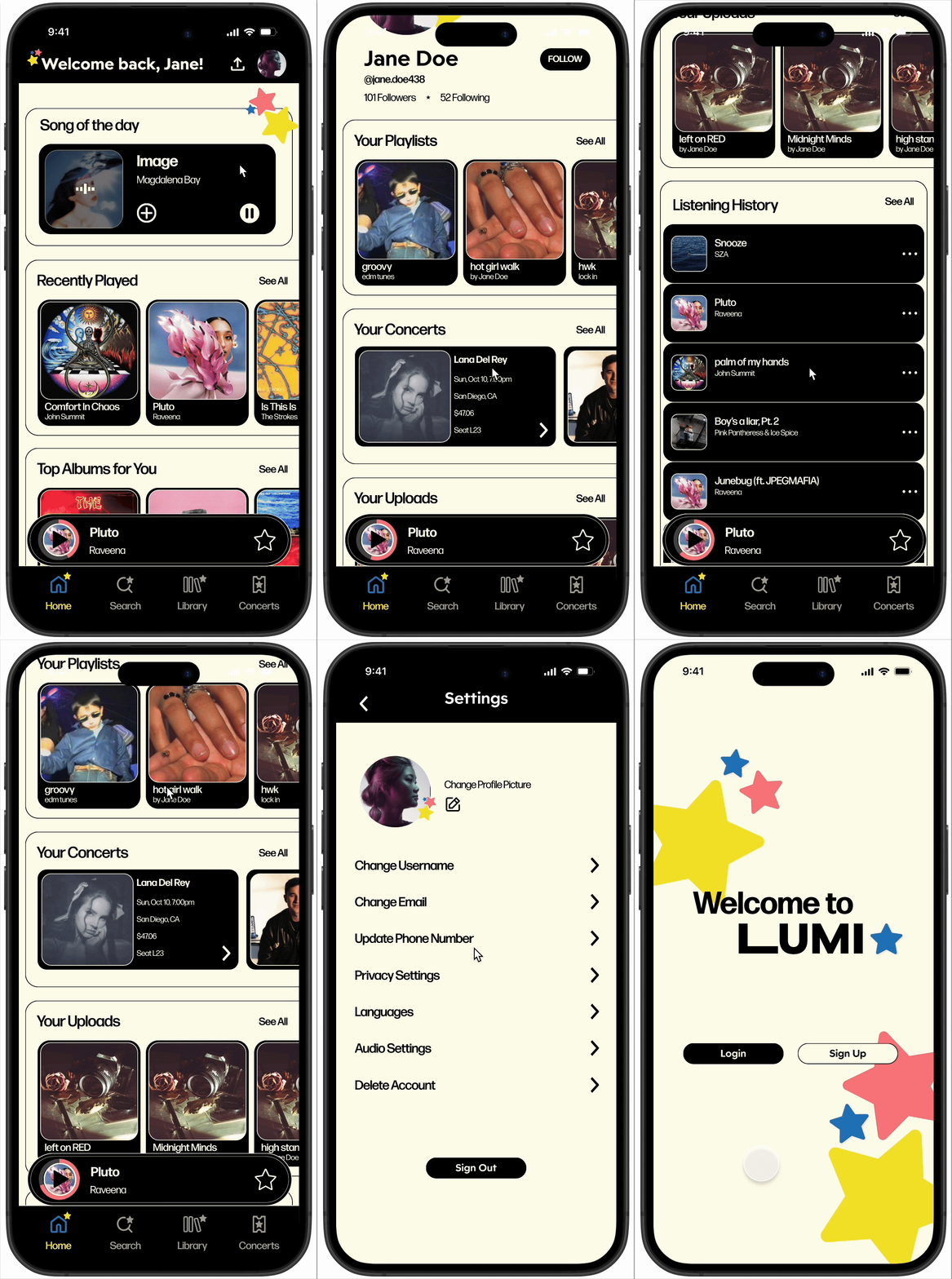
Profile / Sign Out
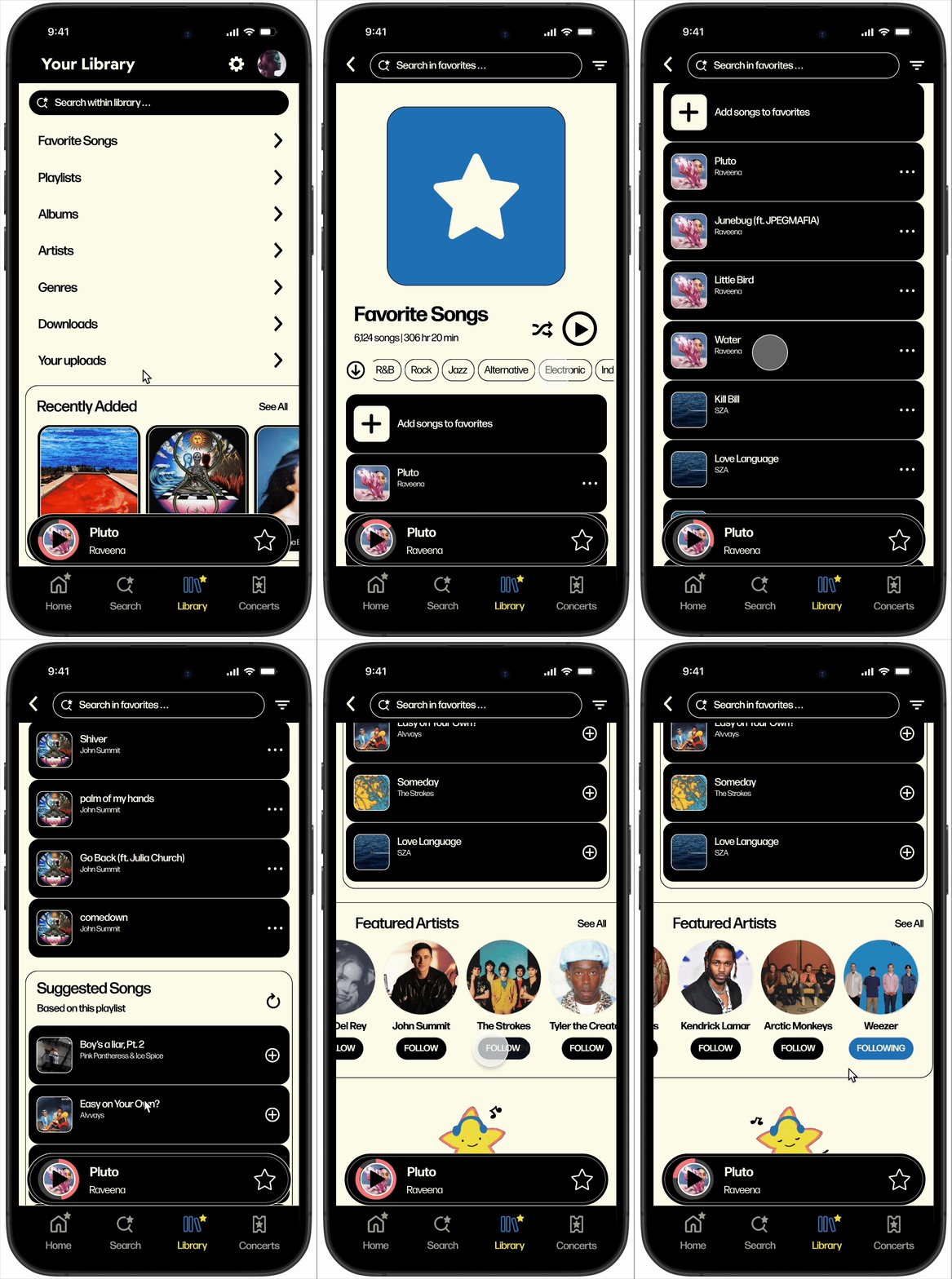
Your Favorites
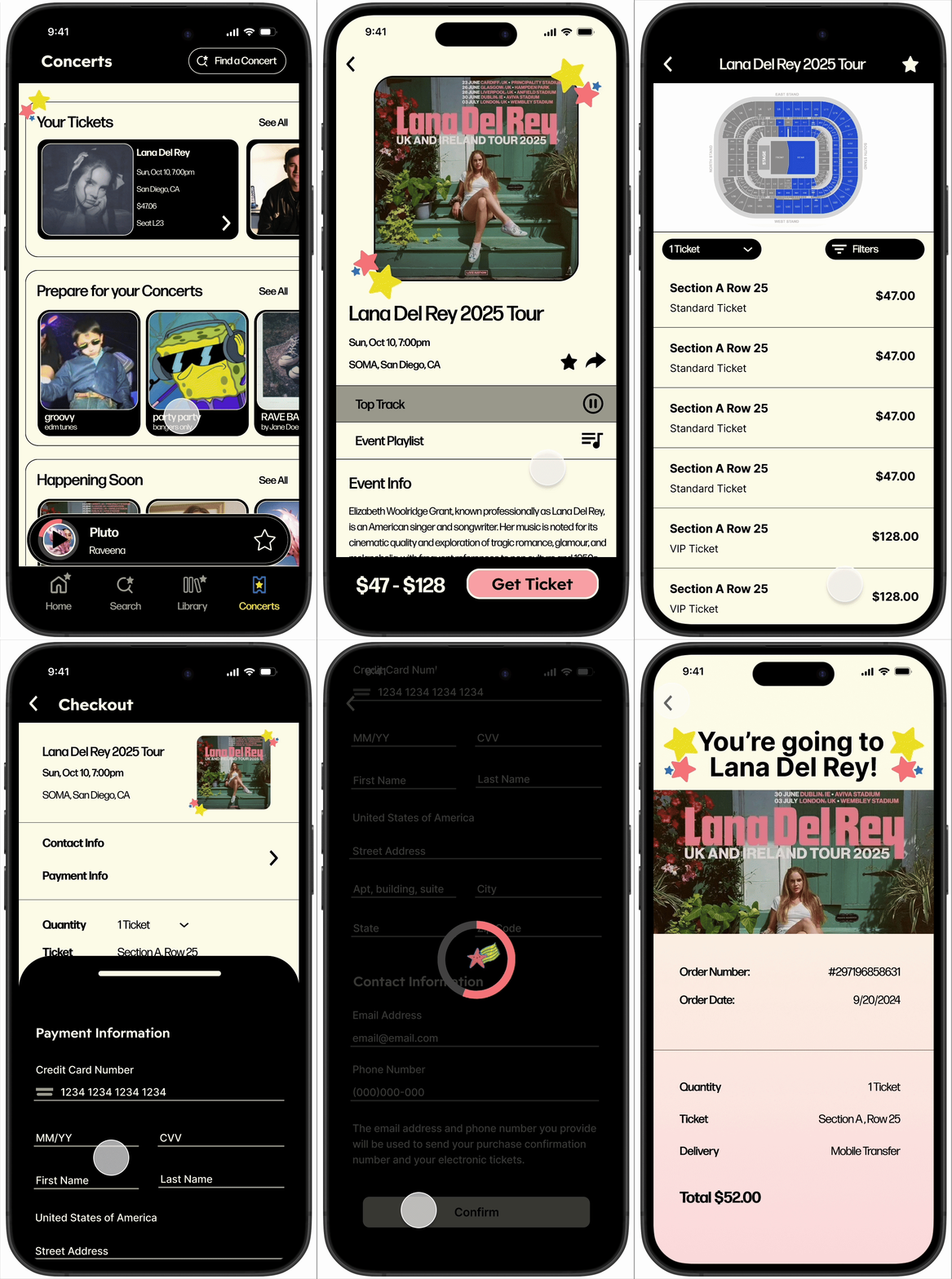
Get Concert Tickets
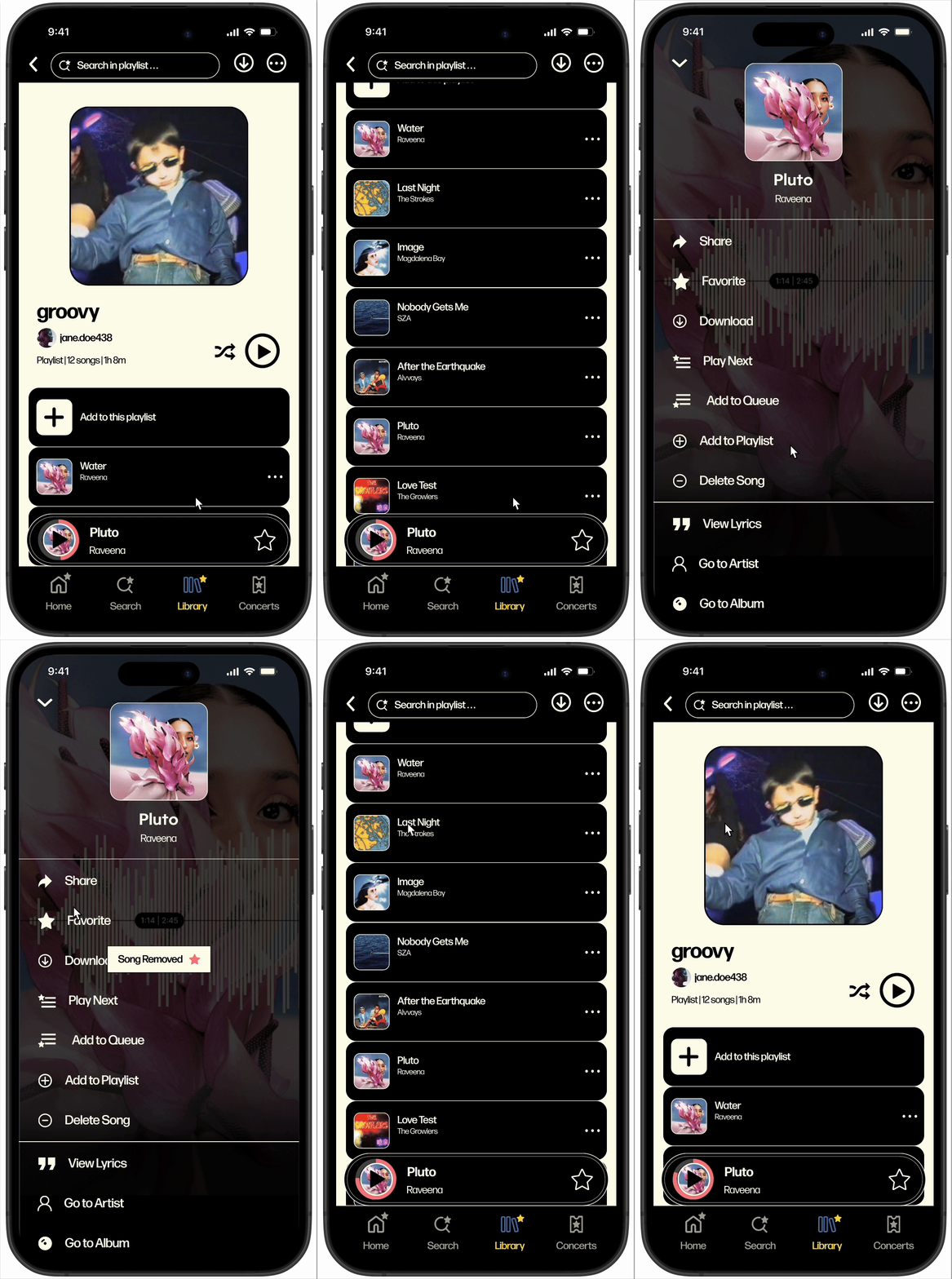
Delete Song
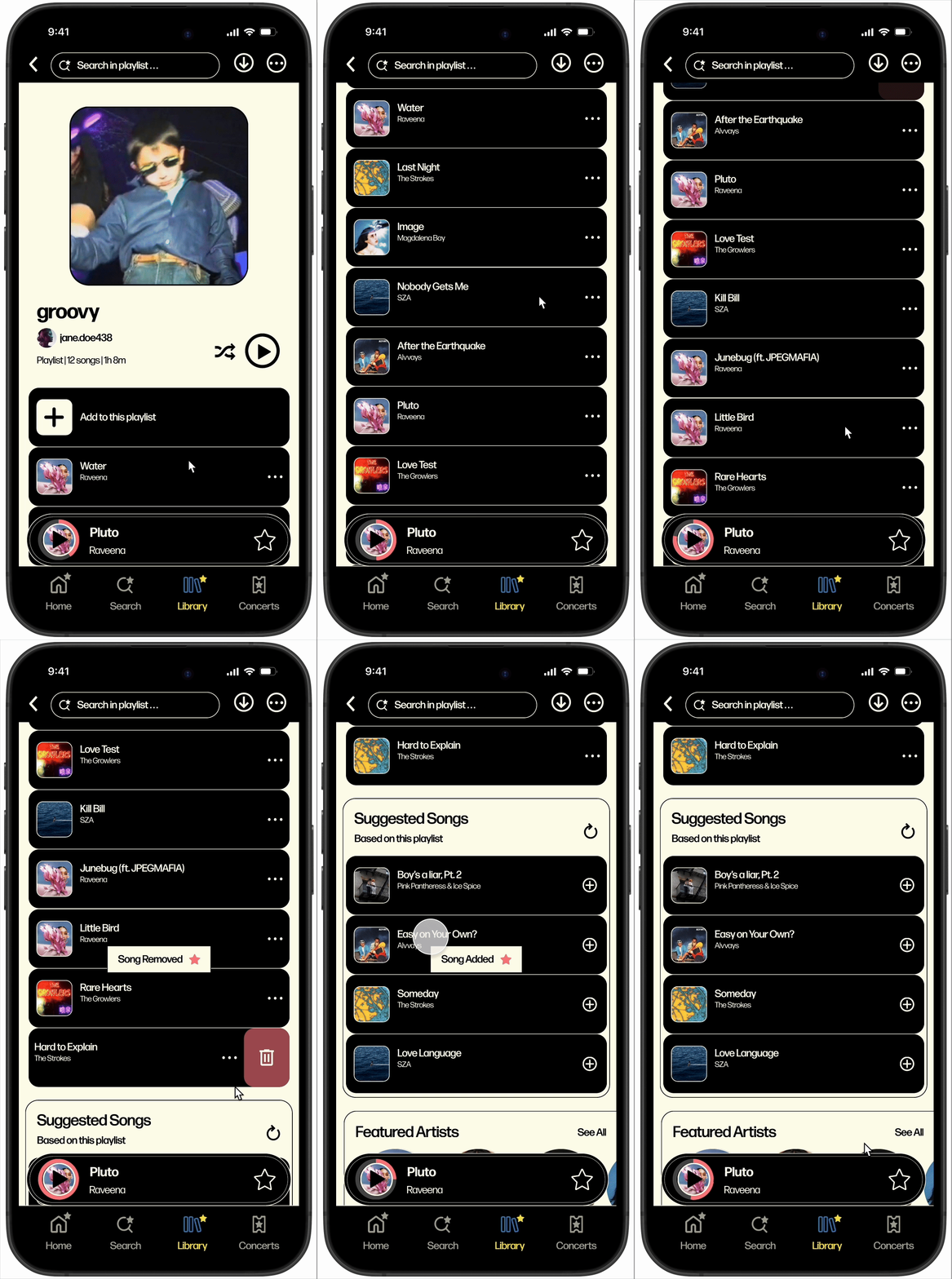
Swipe to Delete
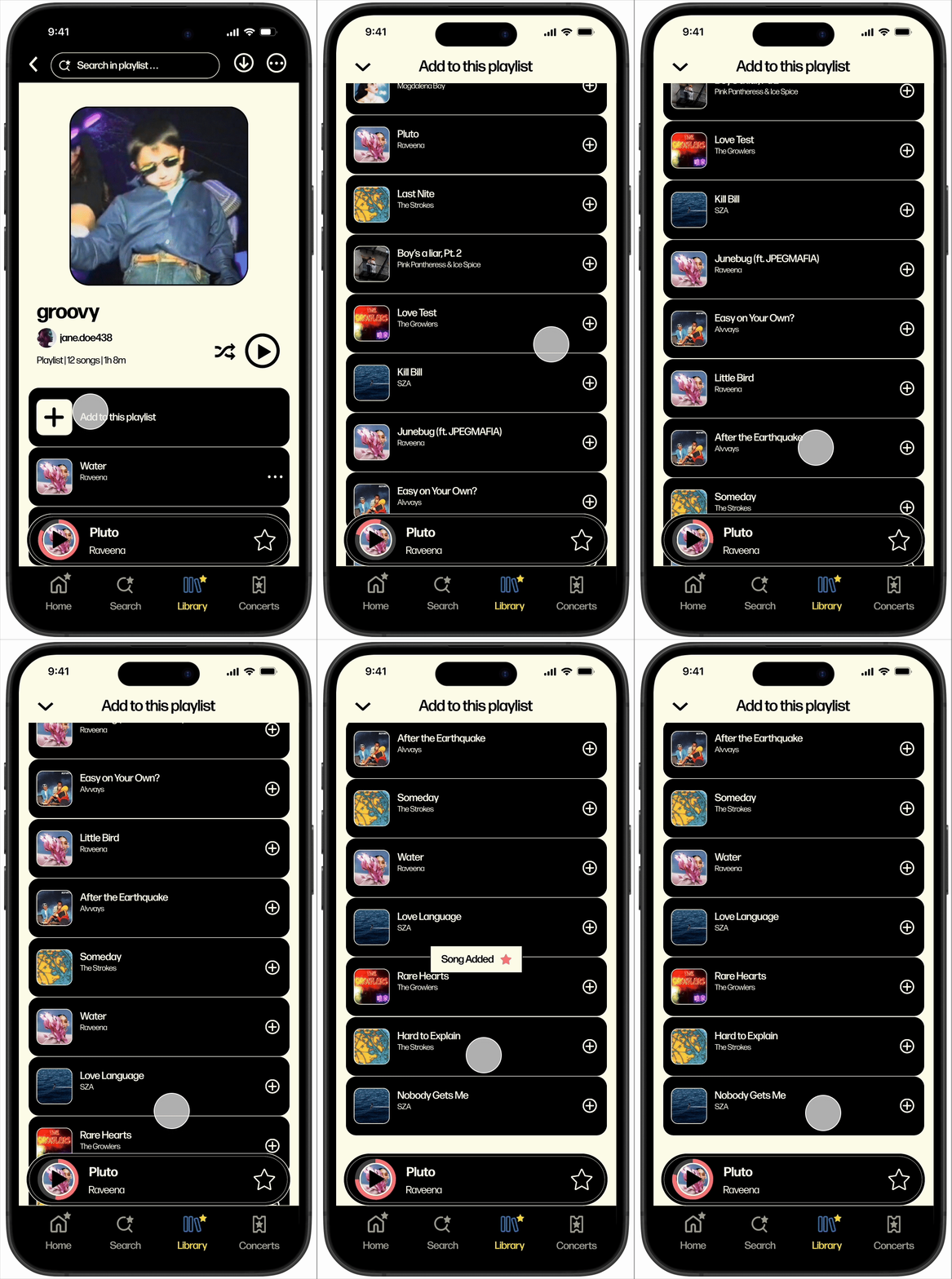
Add by Suggested Songs
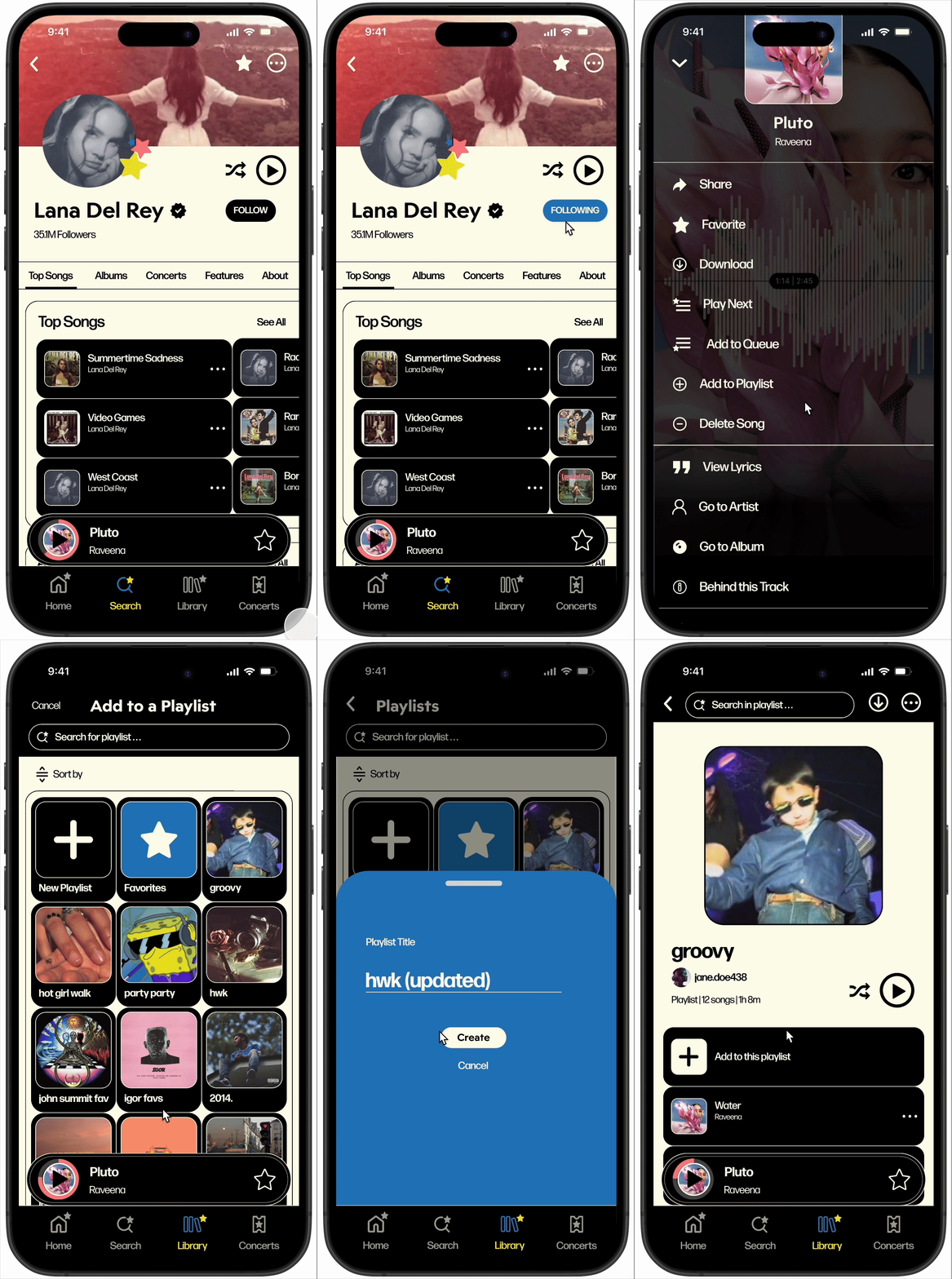
Add to New Playlist
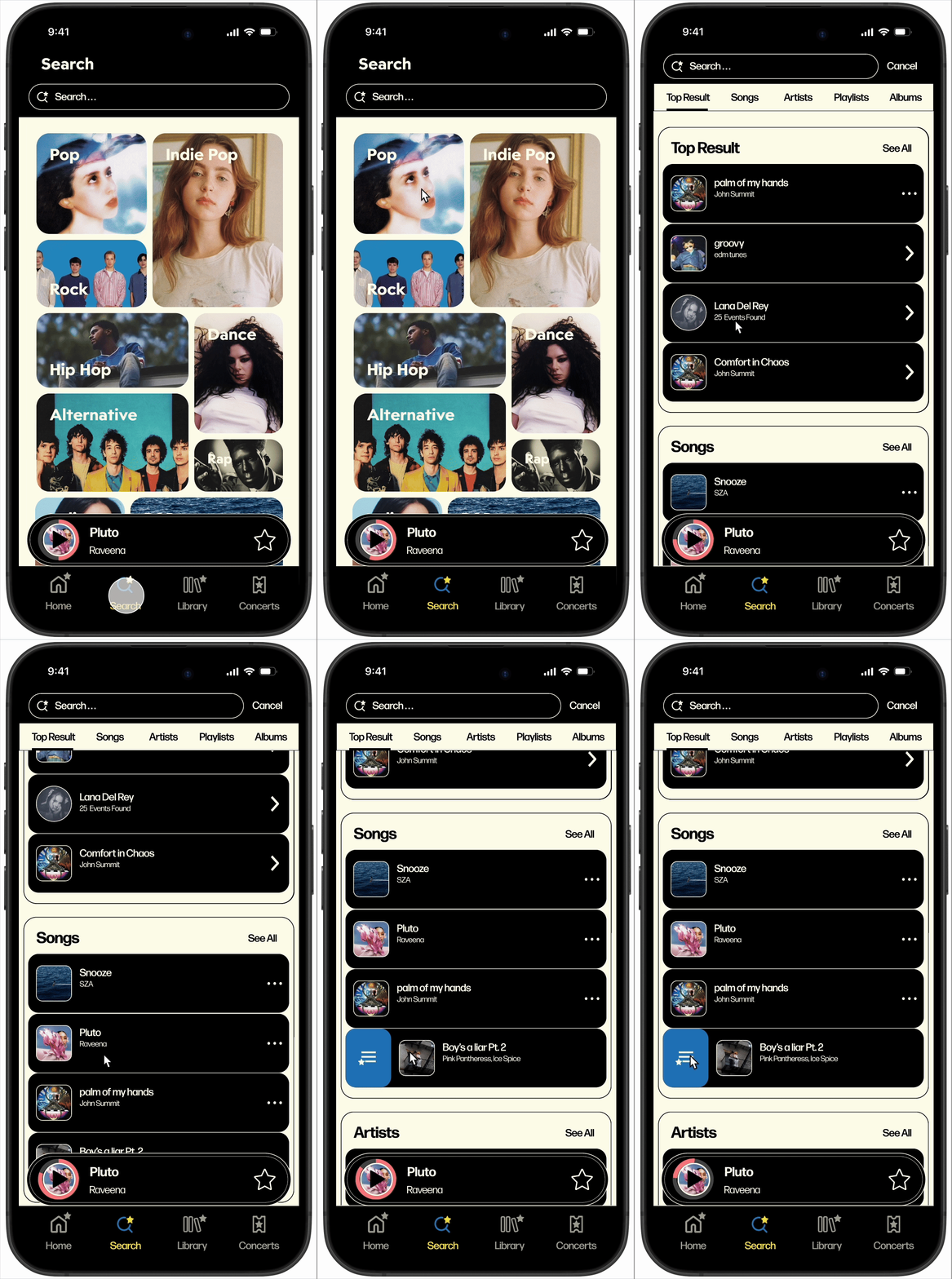
Add to Queue
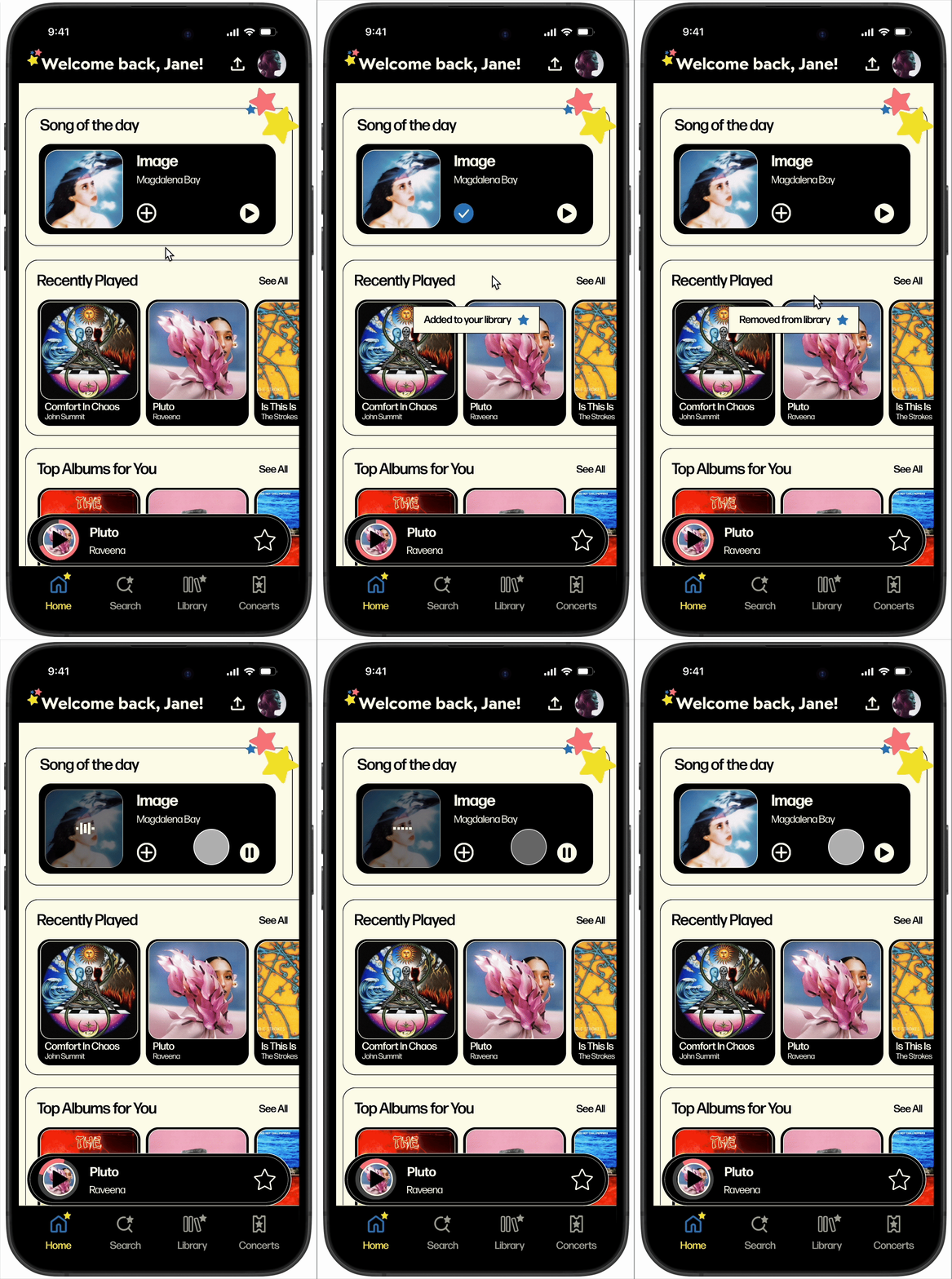
Song of the Day
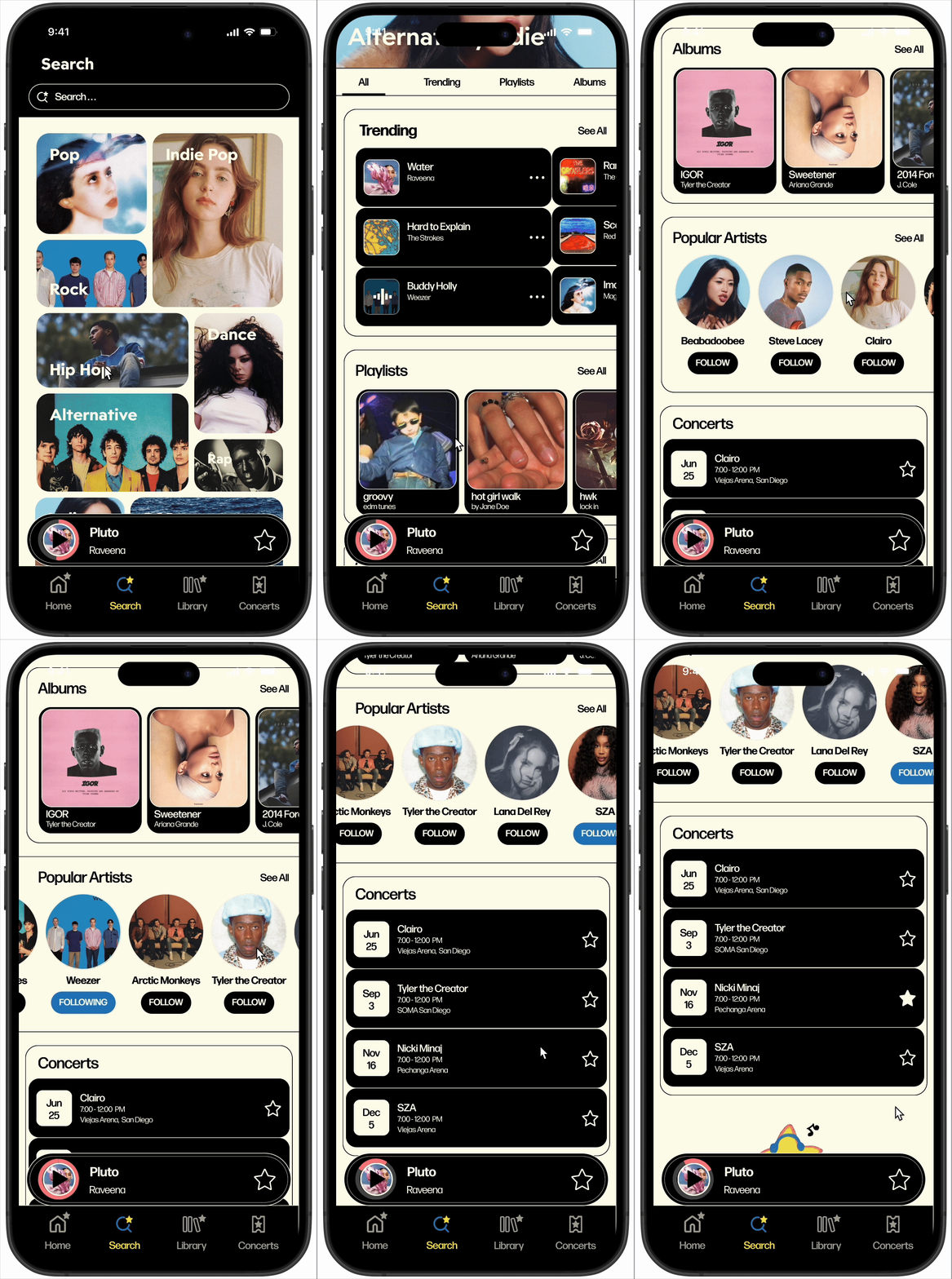
Discover Artists
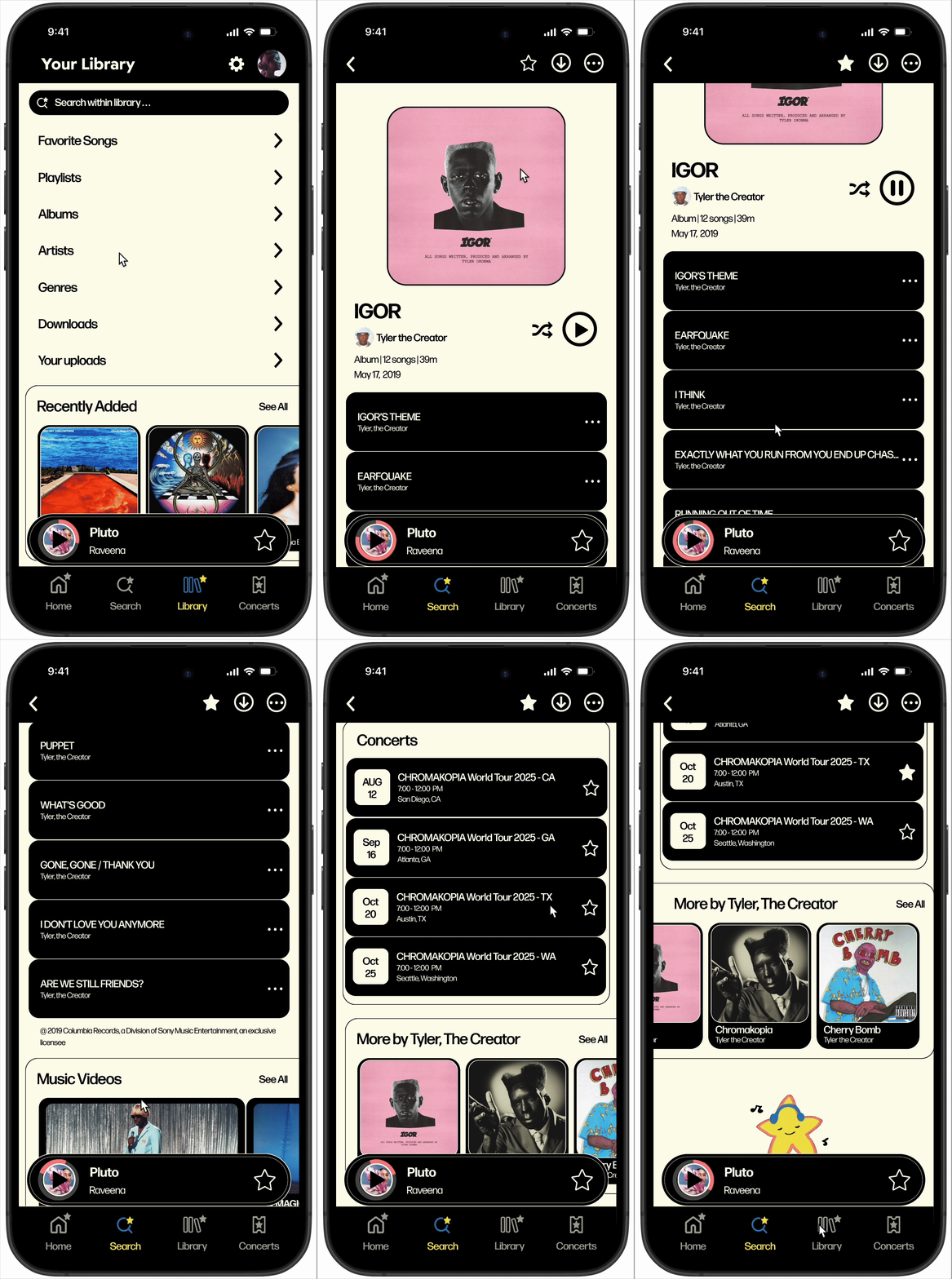
Explore Albums
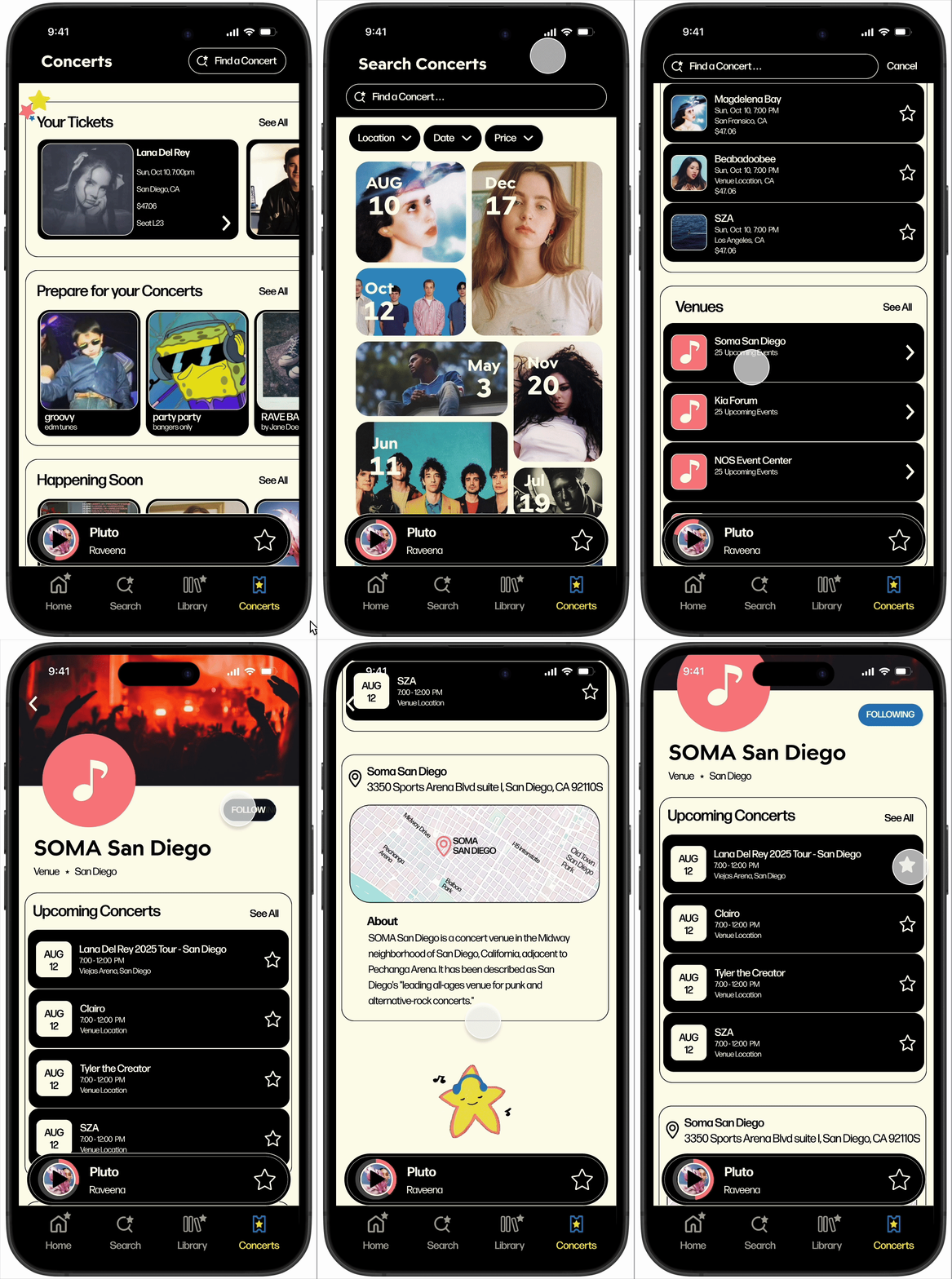
Follow Venues
Song Scroll + Lyrics
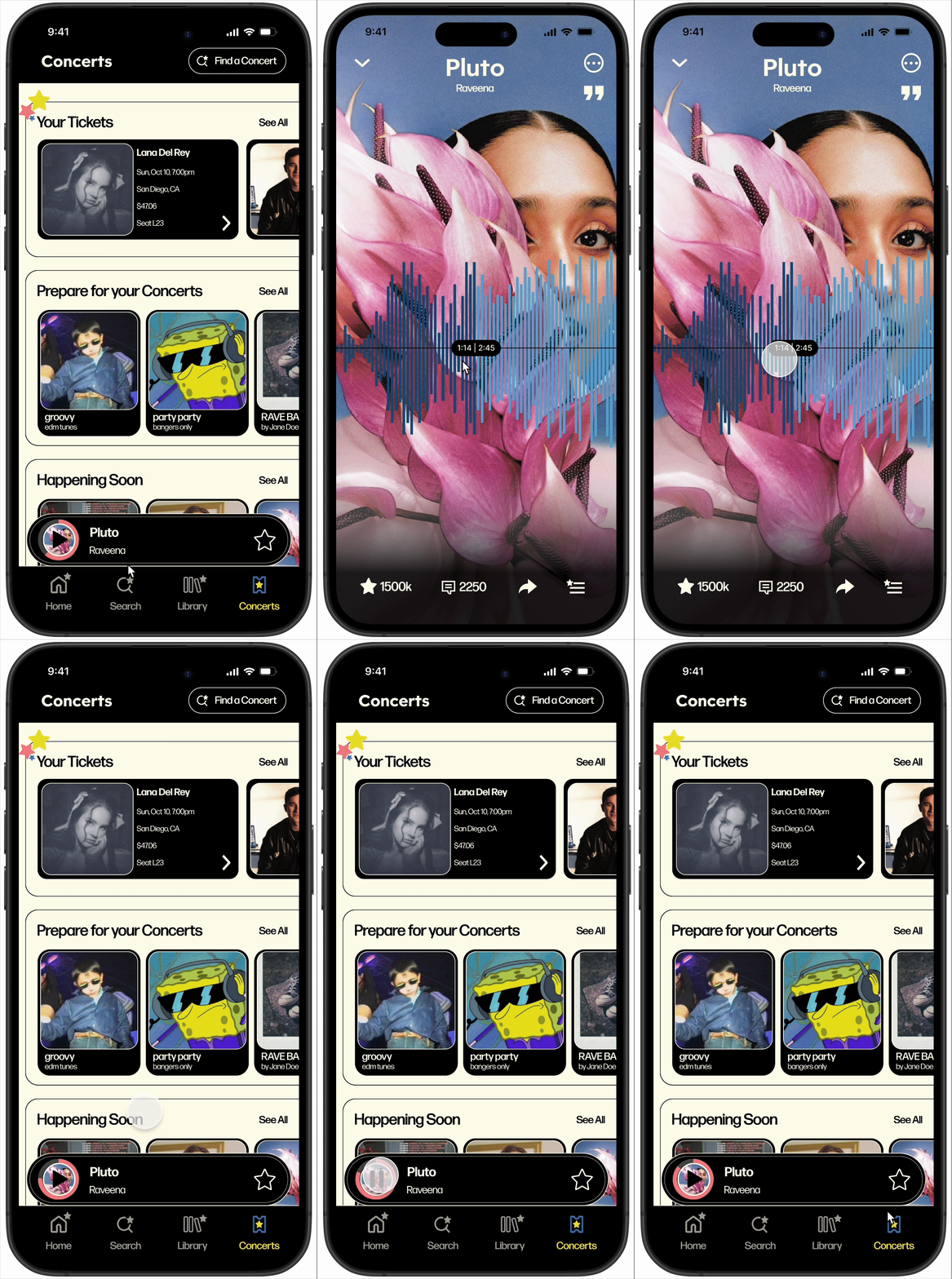
Pause / Play
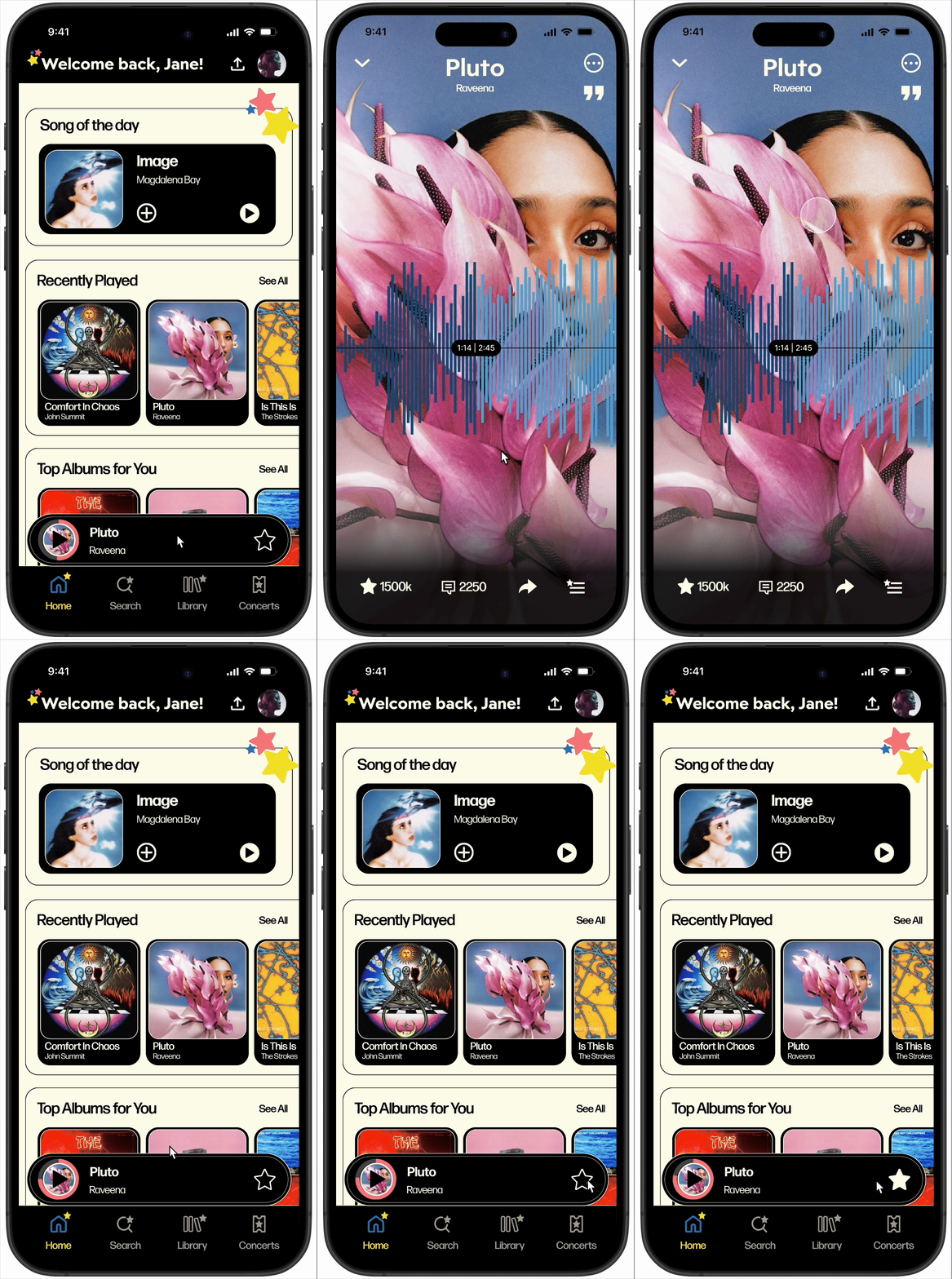
Drag to Close
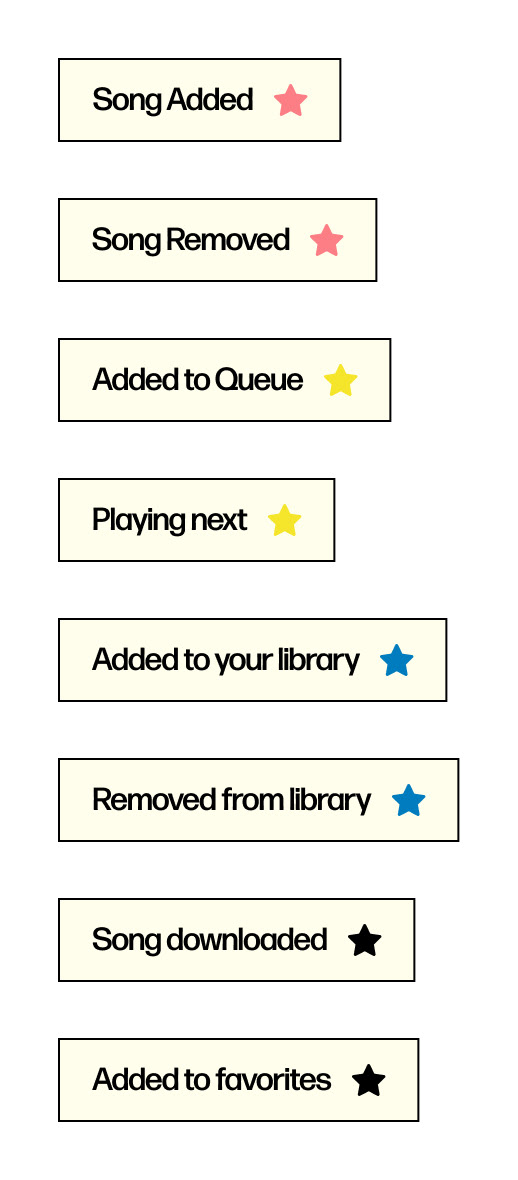
Banners
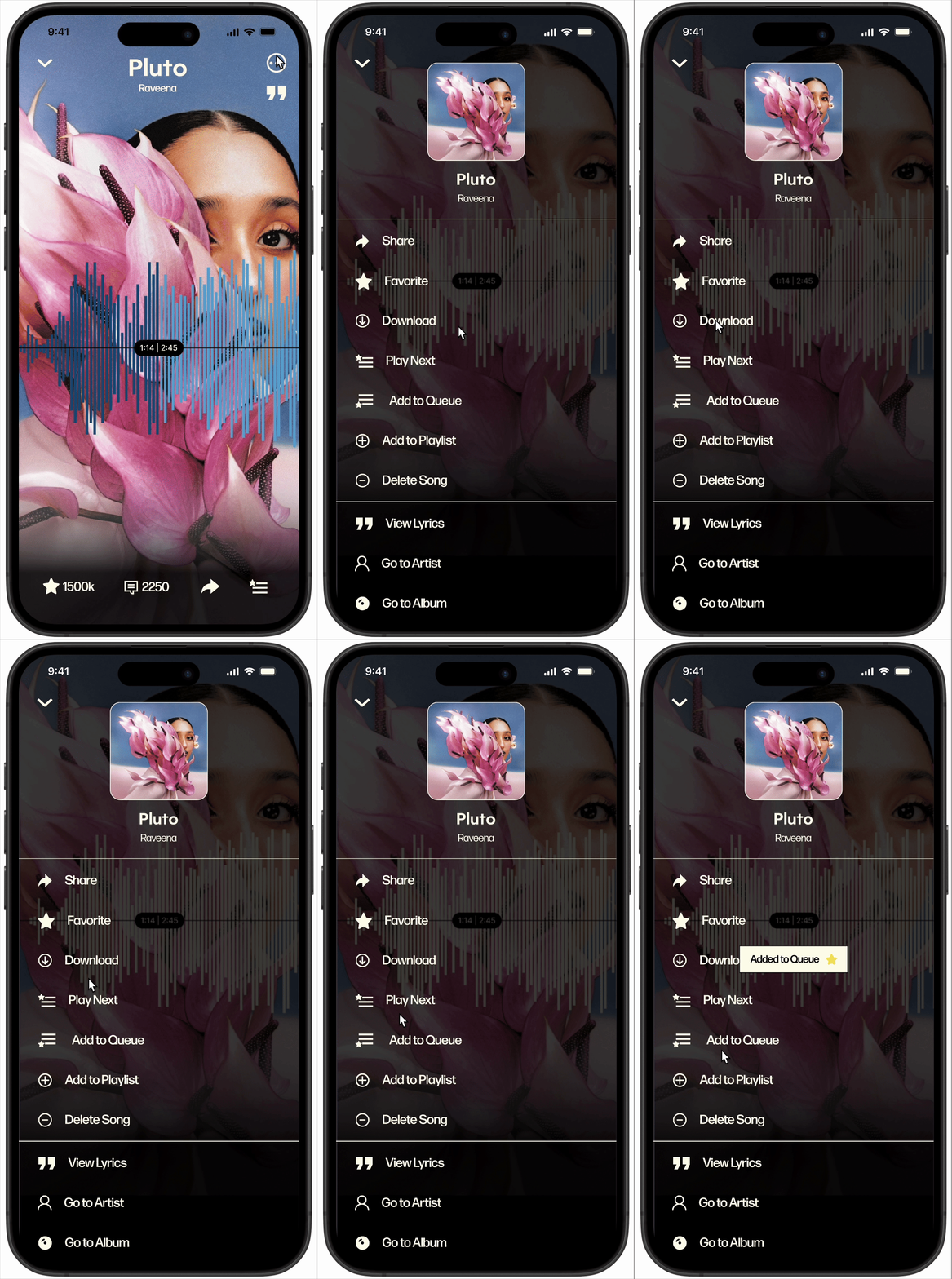
Banners

Spinning Star Animation

Lottie File
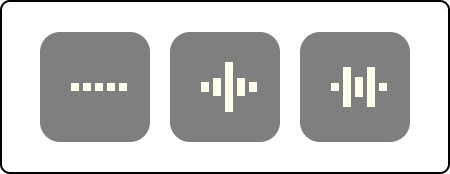
Active Song Animation

Gif
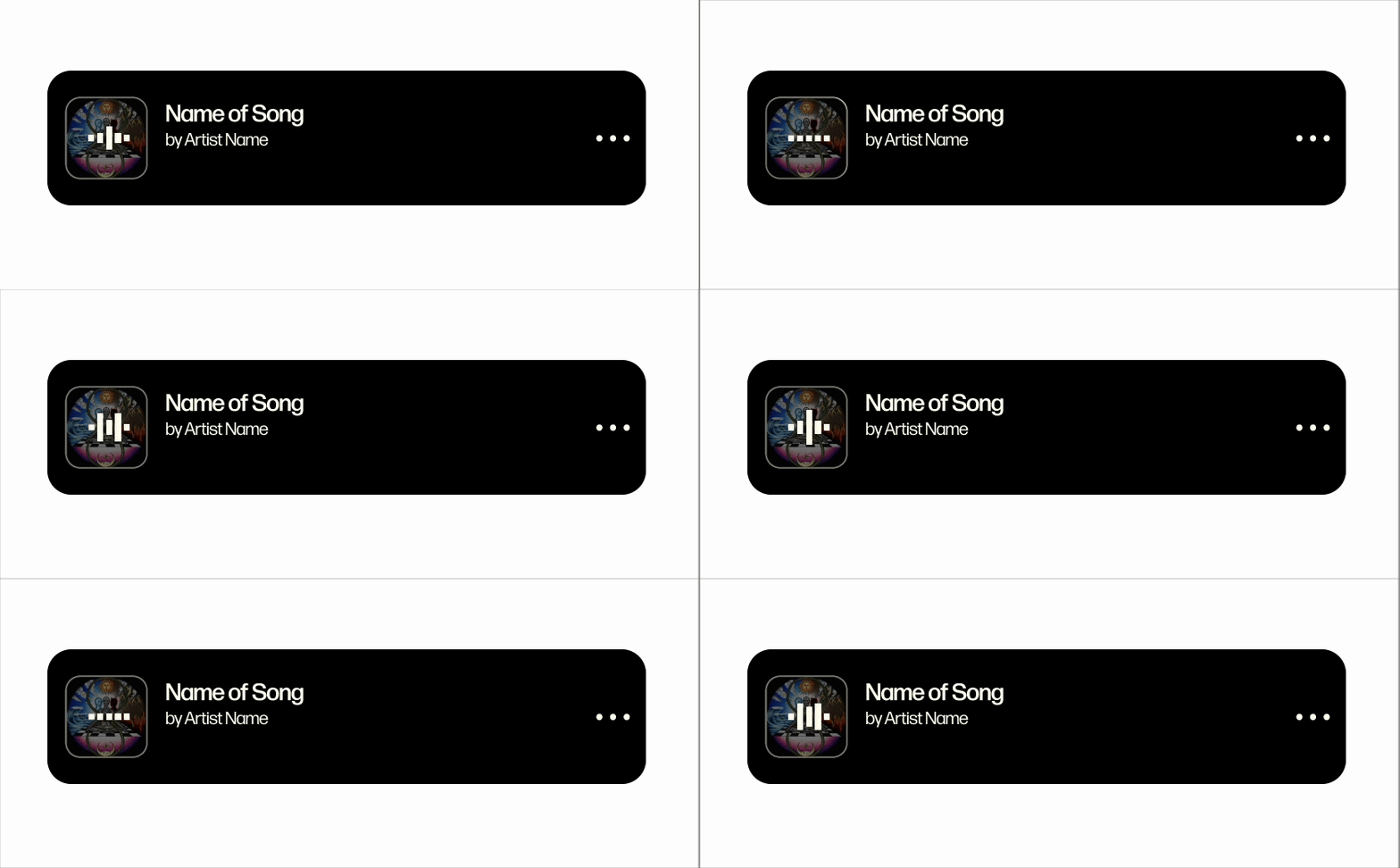
Active Song Animation
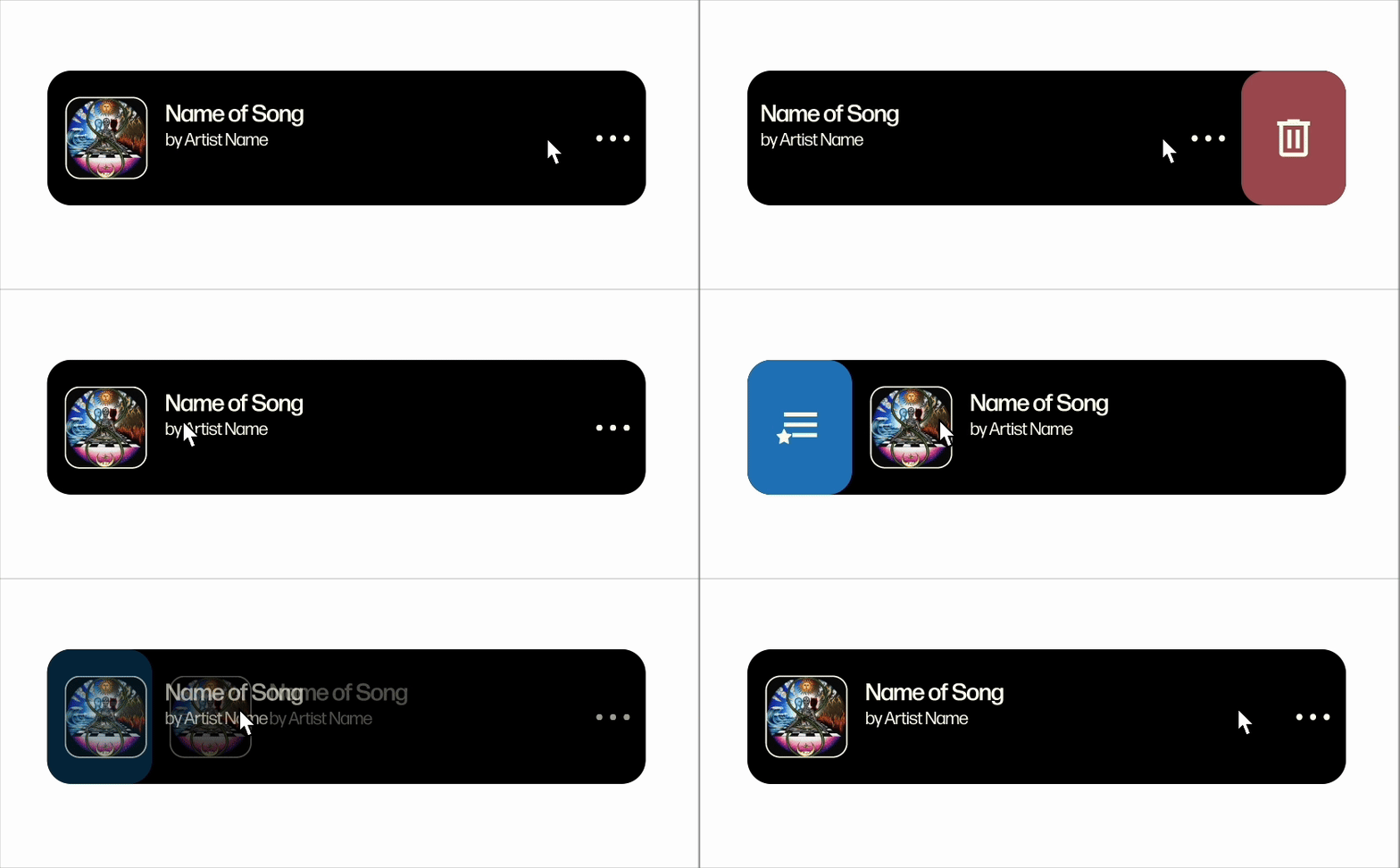
Swipe to Delete / Add to Queue
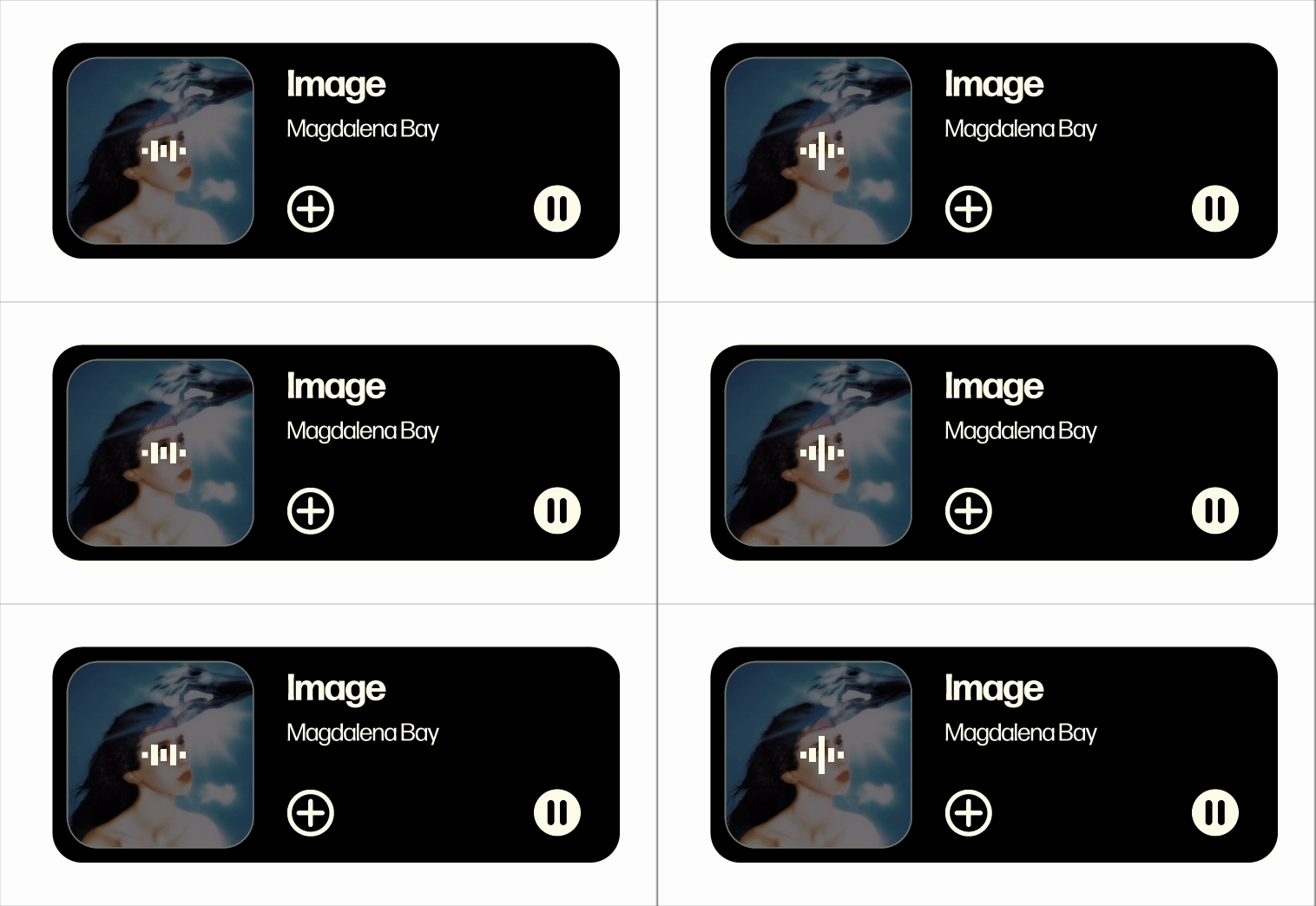
Active Song of Day
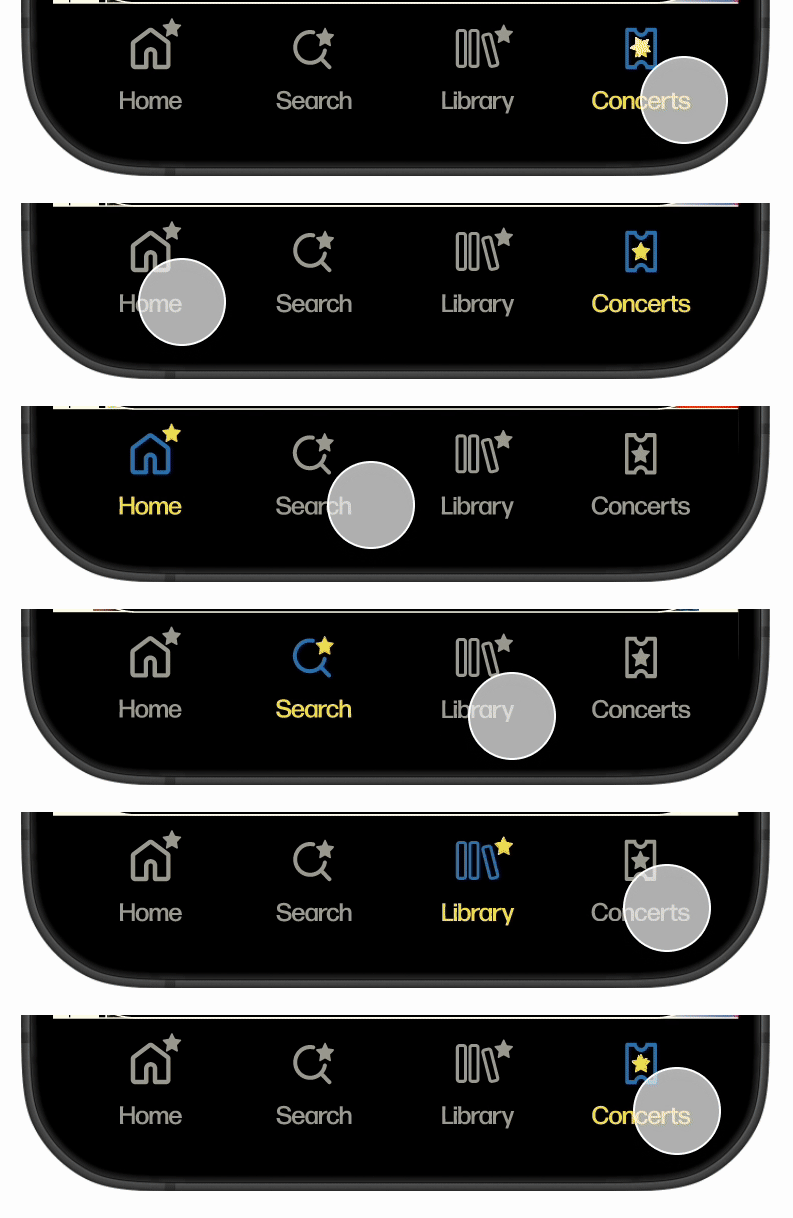
Animated Navigation Bar
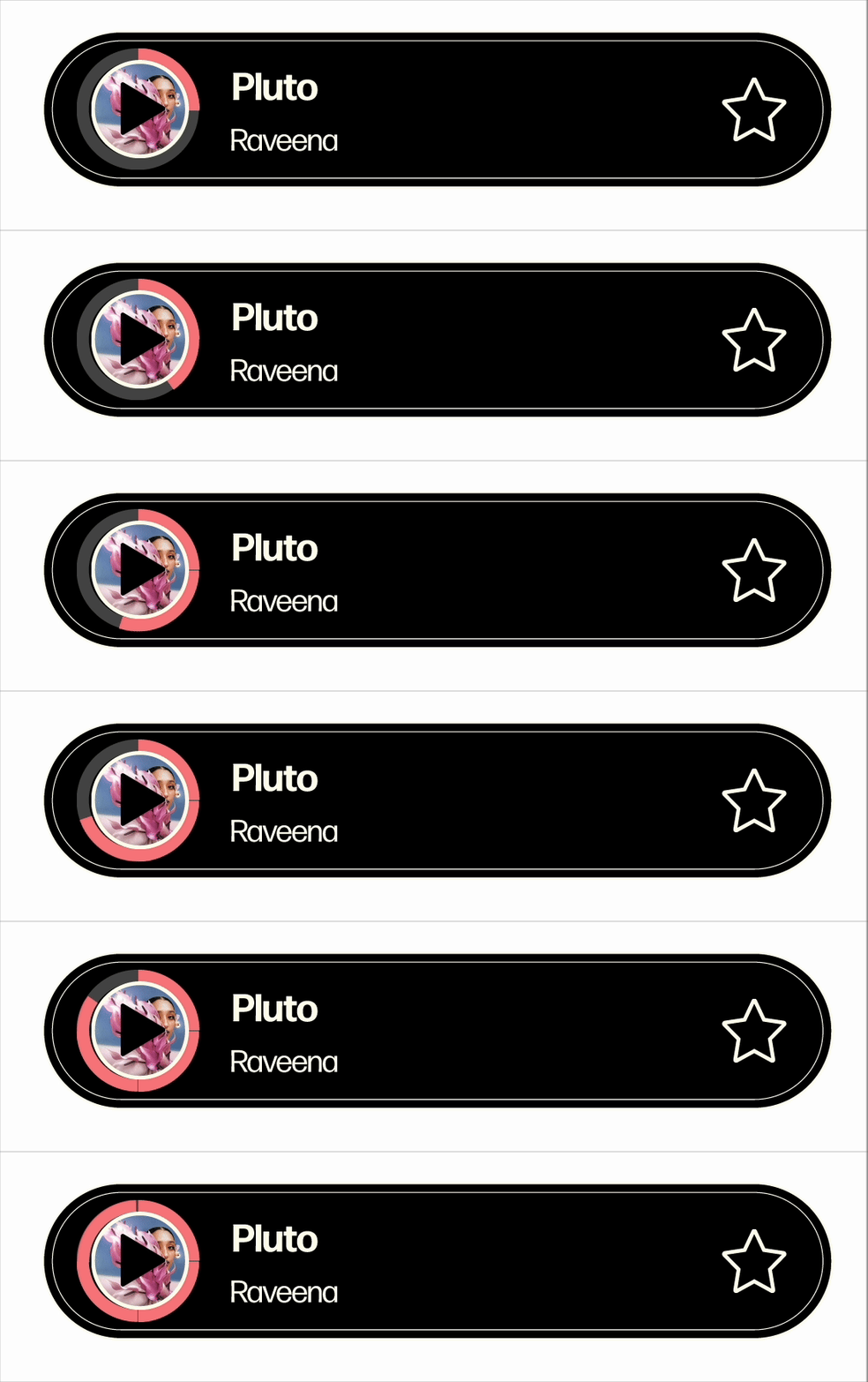
Spinning Progress Indicator
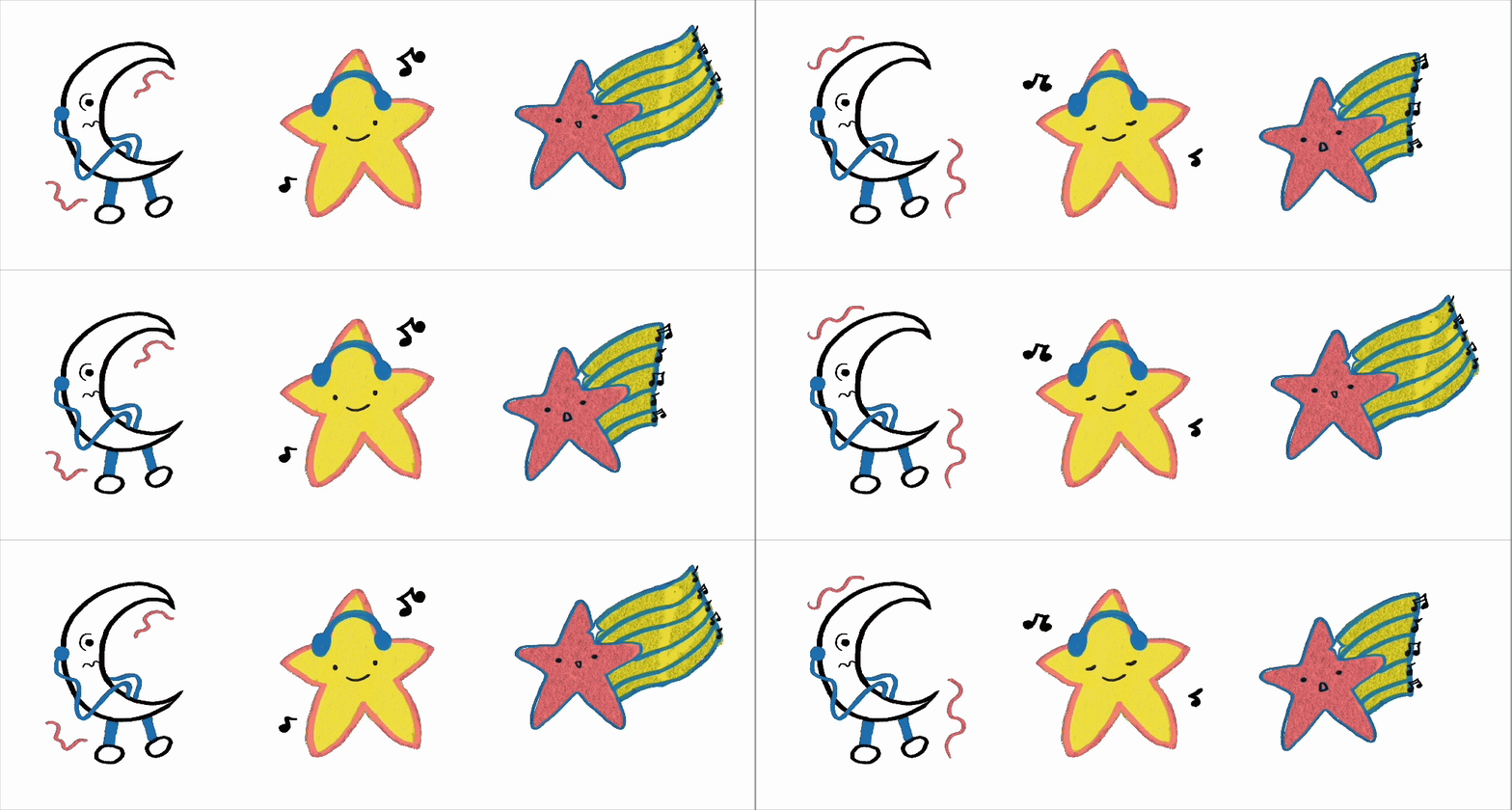
Animated Characters
Fin.